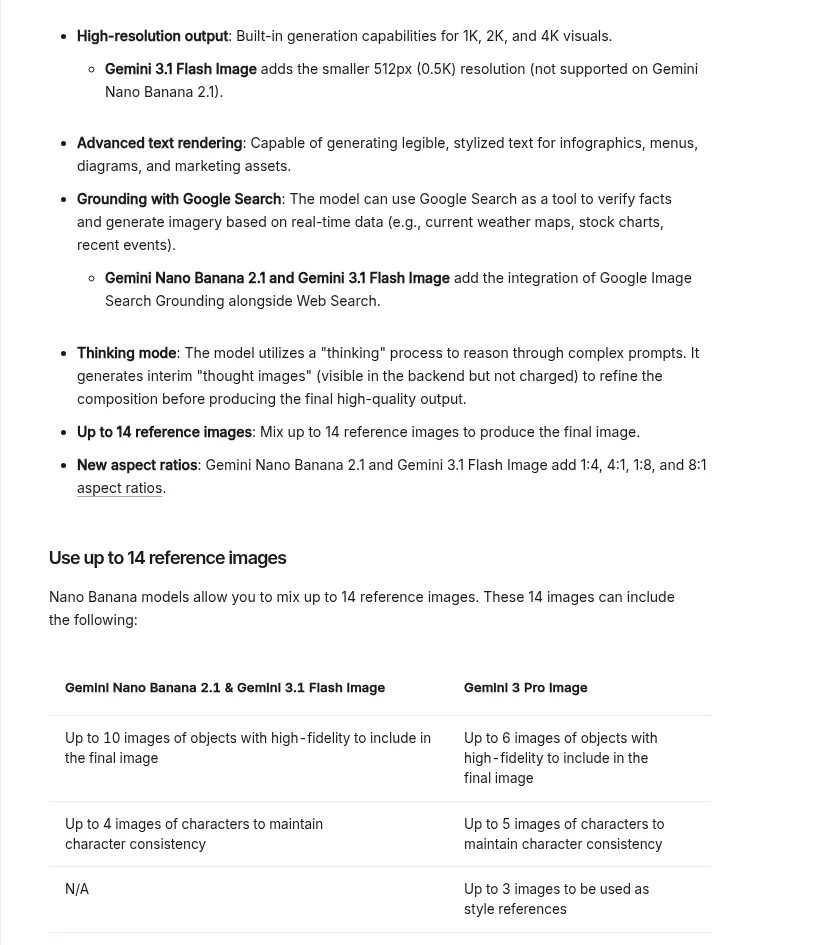
Nano Banana Pro vs Midjourney comes down to one question for product photos: do you need the product to stay exact, or do you need the picture to look striking? Nano Banana Pro (Google’s Gemini 3 Pro Image model) is the safer pick when labels, logos and printed text must survive the edit. It takes up to 14 reference images, outputs up to 4K and costs $0.134 per 1K or 2K image through the Gemini API. Midjourney V8.2 is the stronger pick for mood, styling and campaign looks, with plans from $10 a month. Prices below were checked on Google’s and Midjourney’s official pages on 20 November 2026.
This is a comparison built from both companies’ current documentation, pricing pages and release notes. We have not run a scored side-by-side test bench for this article, so you will not find invented win rates or “usable image” percentages here. What you will find is how each tool handles your real product photo, what it costs per image, what you are allowed to do with the output and which one fits which job.
Nano Banana Pro vs Midjourney: the quick answer
| Question | Nano Banana Pro | Midjourney V8.2 |
|---|---|---|
| What is it? | Google’s Gemini 3 Pro Image model (gemini-3-pro-image) | Midjourney’s default model since 24 July 2026 |
| Best at | Keeping product details, text rendering, instruction-heavy edits | Aesthetic, styled scenes, Personalization and moodboards |
| Reference images | Up to 14 in total, including up to 6 high-fidelity object images | Up to 4 with the Edit Model |
| Max output | 1K, 2K or 4K | 2048px with HD (aspect ratios up to 4:1 in HD) |
| Price | $0.134 per 1K/2K image, $0.24 per 4K image (API) | Basic $10, Standard $30, Pro $60, Mega $120 a month ($8, $24, $48, $96 billed yearly) |
| How you use it | Gemini app, Google AI Studio, Gemini API, Vertex AI, Google Ads, Workspace | midjourney.com and Discord |
| Watermark | Invisible SynthID on every image | None listed in the plan or commercial-use docs |
| Commercial rule to know | Google won’t claim ownership of generated content | Businesses grossing over $1,000,000 a year need Pro or Mega |
If you only read one line: use Nano Banana Pro when the pack has to stay correct, and Midjourney when the scene has to stop the scroll. Many brands will end up using both, which we cover near the end.
What Nano Banana Pro is in November 2026
Nano Banana Pro is the name Google uses for Gemini 3 Pro Image. Google launched it on 20 November 2025, and the stable model gemini-3-pro-image replaced the preview version on 28 May 2026. Google’s developer docs describe it as “the premium choice for complex visual tasks,” using a Thinking step to follow complex instructions, keep brand consistency and render high-fidelity text.
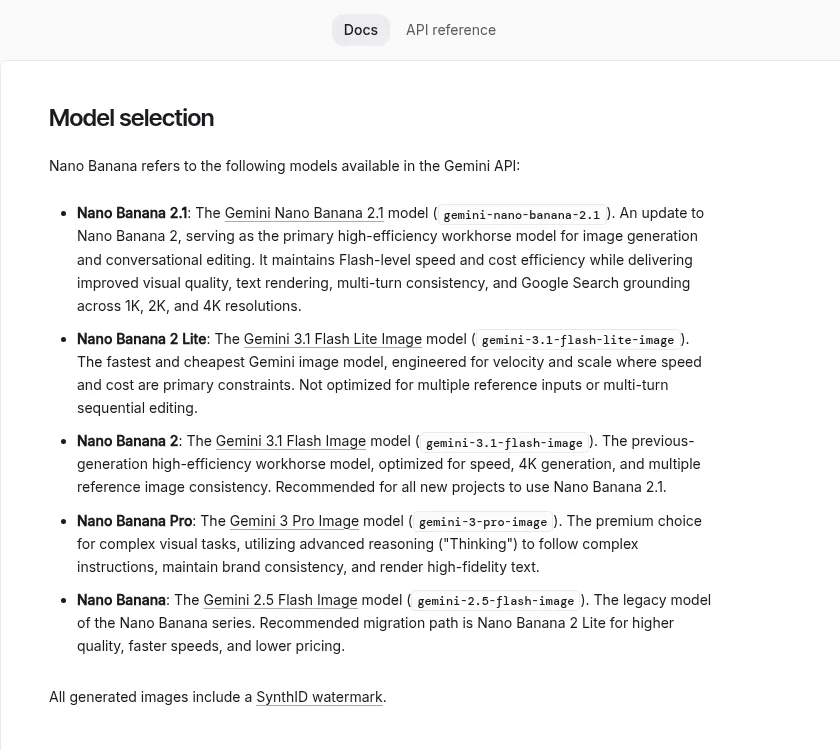
It is no longer Google’s newest image model. Nano Banana 2.1 (gemini-nano-banana-2.1) arrived on 6 October 2026 as the cheaper, faster workhorse, and Google now recommends it for most new projects. On 16 November 2026 Google also moved its Google Pics app to Nano Banana 2.1. So the honest framing for a product team is this: Nano Banana Pro is Google’s reasoning-heavy option for hard edits, and Nano Banana 2.1 is the volume option. We compare Pro with Midjourney here because that is the question buyers ask, and we flag where 2.1 may be the better Google choice.
TechCrunch’s launch report, Google releases Nano Banana Pro, its latest image-generation model, explains the 2K and 4K output, the web-search grounding and the higher cost compared with the first Nano Banana.
What Midjourney V8.2 is in November 2026
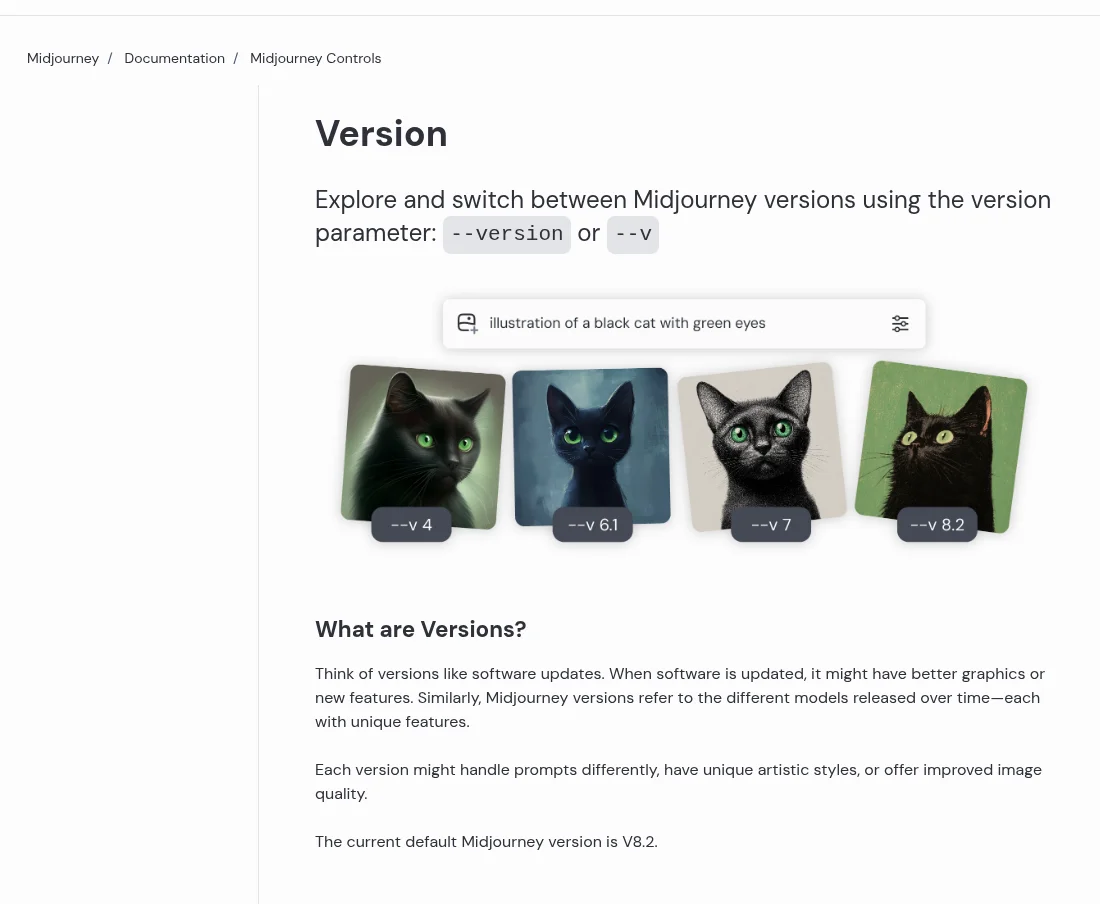
Midjourney’s version page lists V8.2 as the current default. It became the default on 24 July 2026 and focuses on aesthetics, image quality and Personalization. It also brought the Edit Model, which replaced Omni Reference, Character Reference and the Retexture tool. V8.1 and V8.2 can render HD images at 2048px without upscaling; HD costs 1.3 minutes of GPU time against 0.8 minutes for SD.
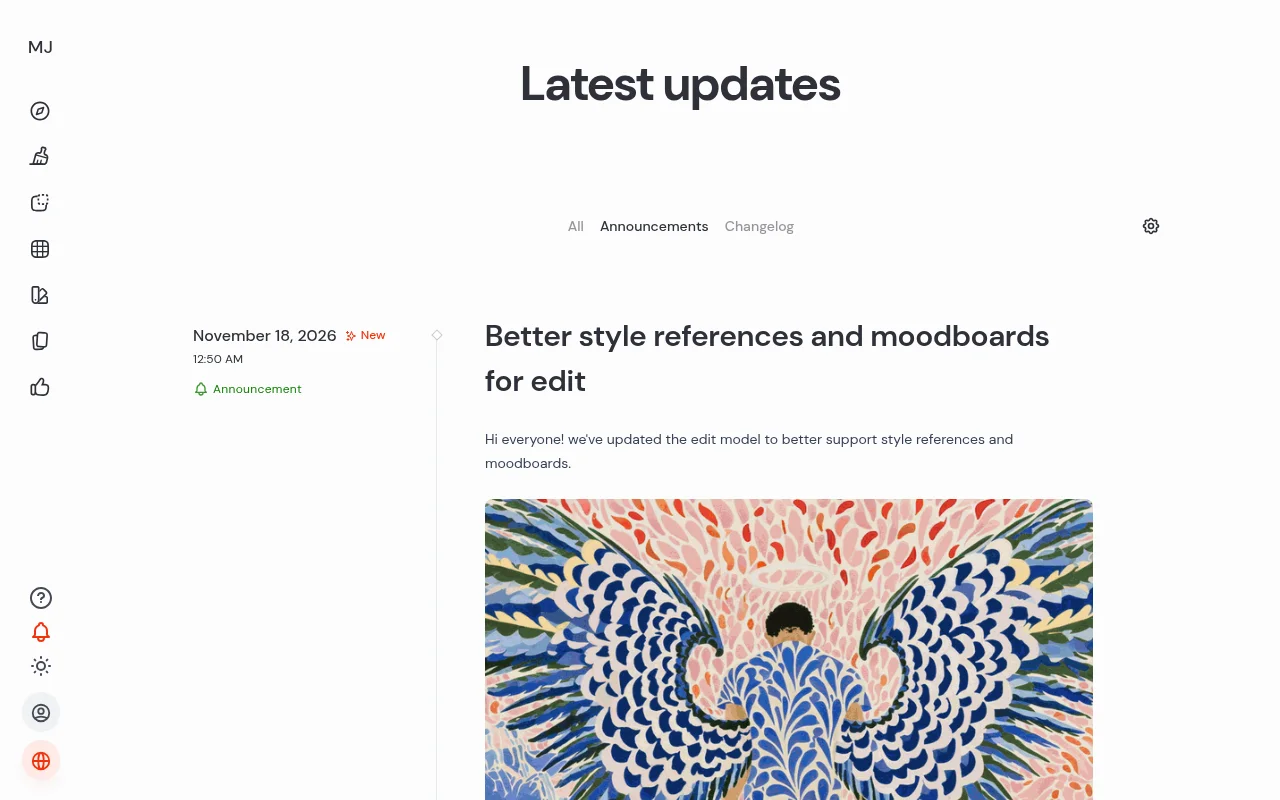
Midjourney keeps shipping small updates to the Edit Model. On 18 November 2026 it announced better support for style references and moodboards inside edits, so a saved brand style now applies more strongly when you edit an existing product photo. In October 2026 it also started testing a “Thinking Mode” on alpha.midjourney.com, which it says helps prompt accuracy, typography and coherence. That mode is still a test, so do not plan a workflow around it yet.
The Verge’s report on Midjourney’s first video model is useful background if you also plan to animate the stills you make. For a full set of Midjourney product prompts, see our Midjourney product photography prompts for V8.2.
Which keeps product labels and logos accurate?
On paper, Nano Banana Pro is built for this job and Midjourney is not. Google’s docs name “high-fidelity product mockups” and “accurate text rendering” as what Nano Banana Pro is best for, and the model lets you pass up to six object images it should include with high fidelity. You can also ask it, in plain sentences, to keep the label text exactly as shown.
Midjourney’s Edit Model accepts up to four reference images and lets you write instructions such as “keep the bottle and label unchanged.” The --raw parameter reduces Midjourney’s own creative flair so your text carries more weight. Even so, Midjourney’s strength is style, and small print is where any image model tends to slip. Whatever you pick, compare each output against the real packshot before it goes into an ad. A misspelled ingredient line on a skincare ad is a compliance problem, not just a visual one.
A practical rule: if the product has more than a logo and a short name on the front (ingredient panels, nutrition facts, sizes in small type), start with Nano Banana Pro or plan to composite the real label back in after generation.
Which looks better for lifestyle and campaign images?
This is where Midjourney earns its price. V8.2 is tuned for aesthetics, and Personalization, style references and moodboards let you lock a brand look across hundreds of images. If your brief says “editorial, moody, film grain, warm window light,” Midjourney usually gets you to a striking frame with less prompt work.
Nano Banana Pro gives you control through language instead. Google pitched it at launch as giving control over camera angle, lighting, depth of field, focus and color grading, and the model supports aspect ratios from 1:1 to 21:9, including 4:5 and 9:16 for social feeds. It is closer to briefing a careful retoucher. That suits catalog shots and ad variants where consistency matters more than surprise.
If you sell apparel, the same split applies to on-model images. Our guide to the best AI fashion model generators covers tools built for garments, and our legal explainer on AI models for clothing brands covers disclosure and likeness questions.
How much do Nano Banana Pro and Midjourney cost?
The two tools charge in different ways, so compare them by how many final images you need each month.
Nano Banana Pro pricing
On Google’s Gemini API pricing page (checked 20 November 2026), Gemini 3 Pro Image has no free API tier. Paid usage is priced per token, which Google converts to per-image prices:
- Output: $0.134 per 1K or 2K image and $0.24 per 4K image (image output is $120 per 1 million tokens).
- Input: each reference image is about $0.0011.
- Text and thinking: $12 per 1 million output tokens and $2 per 1 million input tokens.
- Grounding with Google Search: 5,000 free search requests a month shared across Gemini 3 and newer models, then $14 per 1,000.
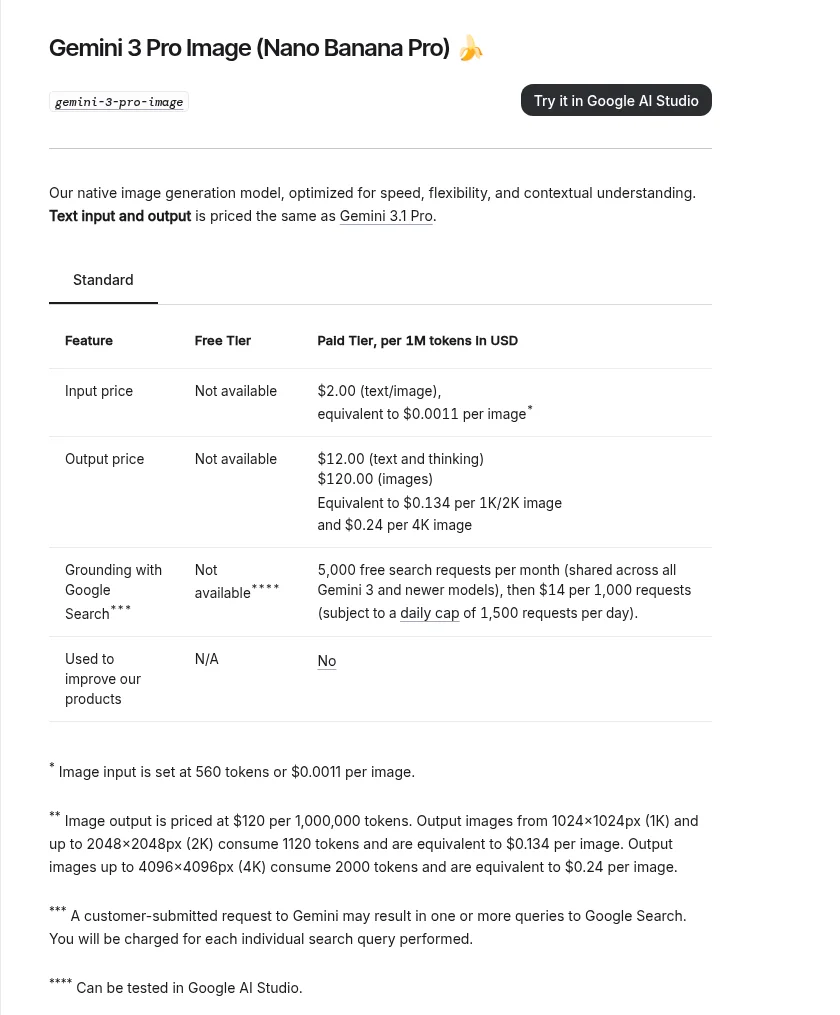
So 100 finished 2K product images cost about $13.40 in output fees, plus small input and text charges. Budget for retries, since you rarely keep the first result. If you only need volume, Nano Banana 2.1 is far cheaper on the same page: $0.0504 per 2K image and $0.113 per 4K image.
Inside the Gemini app, access comes with Google AI plans rather than per-image fees. Google’s plan page lists image generation and editing with Nano Banana Pro on paid plans with higher limits as you move up, while the free plan includes limited Nano Banana Pro access in Google Flow. Prices and limits vary by country, so check Google’s subscriptions page for your region.
Midjourney pricing
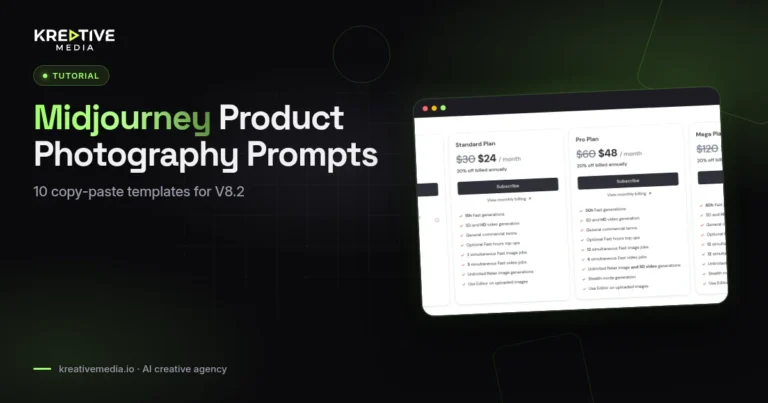
Midjourney’s pricing page (checked 20 November 2026) lists four plans:
| Plan | Monthly | Billed yearly | What you get |
|---|---|---|---|
| Basic | $10 | $8/month | About 200 image jobs a month (800 images), SD video, 3 Fast image jobs at once |
| Standard | $30 | $24/month | 15h Fast, unlimited Relax image generations, SD and HD video |
| Pro | $60 | $48/month | 30h Fast, 12 Fast image jobs at once, unlimited Relax image and SD video, Stealth mode |
| Mega | $120 | $96/month | 60h Fast, 12 Fast image and 12 Fast video jobs at once, Stealth mode |
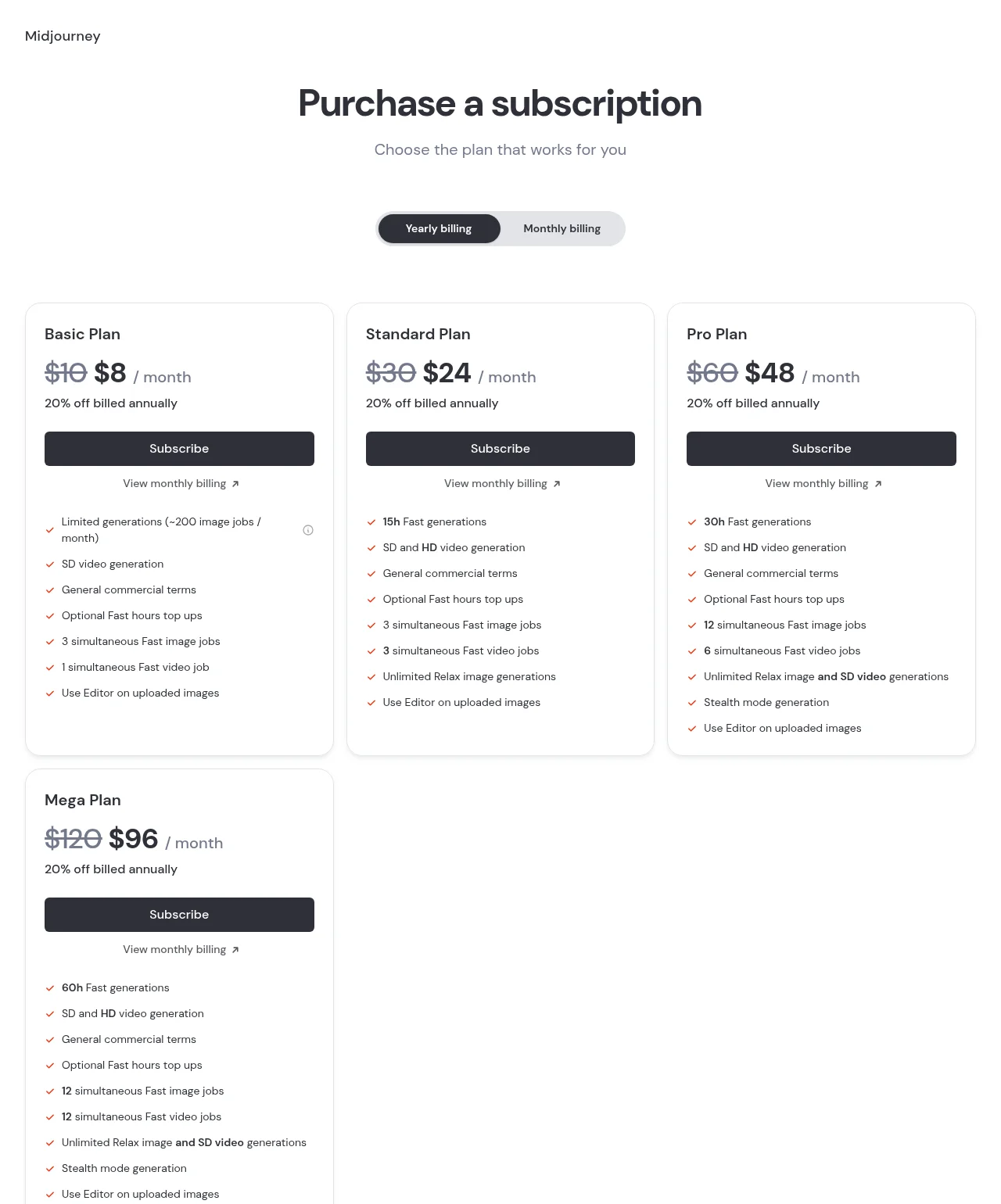
Every plan includes the Editor on uploaded images, which is what product work needs. Standard is the usual starting point because Relax mode gives unlimited image generations if you can wait. Pro adds Stealth mode, which keeps your images off the public Explore page. That matters for unreleased products.
Which is cheaper per image?
For a small brand making a few hundred images a month, Midjourney’s flat fee usually works out cheaper, especially with Relax mode on Standard. For an automated catalog pipeline that renders thousands of SKUs through an API, Nano Banana Pro’s per-image pricing is predictable and needs no seats, and Nano Banana 2.1 cuts that cost further. We have not measured “cost per usable image” for either tool in a controlled test, so treat any figure you see quoted for it with care.
Commercial rights compared
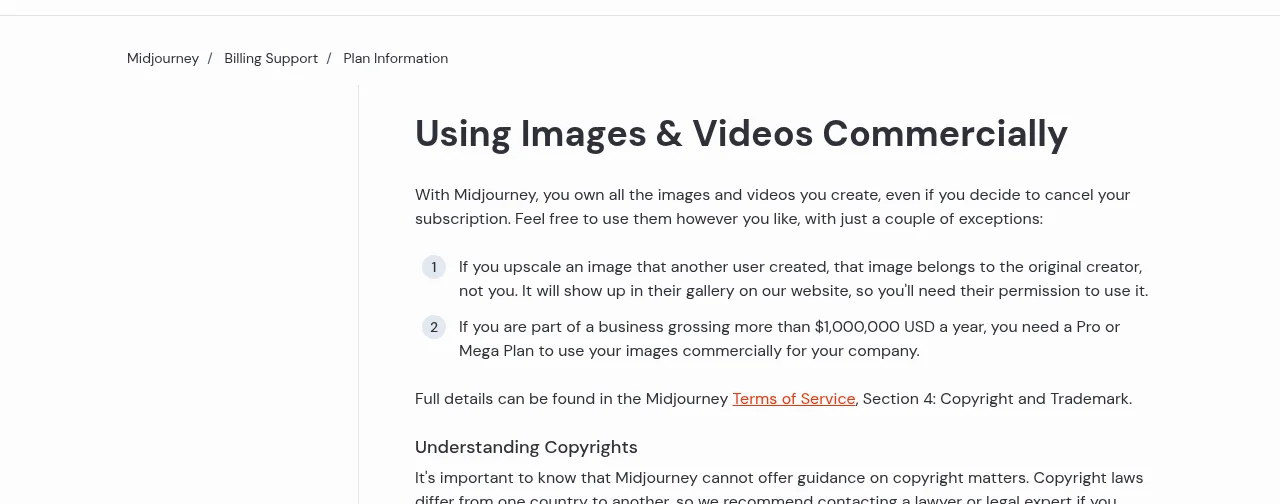
Midjourney: its commercial-use page says you own the images and videos you create, even after you cancel, with two exceptions. If you upscale another user’s image, it belongs to them. And if you are part of a business grossing more than $1,000,000 a year, you need a Pro or Mega plan to use the images commercially for your company.
Nano Banana Pro: the Gemini API Additional Terms say Google won’t claim ownership over content you generate, that Google may generate the same or similar content for others, and that you must follow applicable law when you use it. Every image carries an invisible SynthID watermark, and TechCrunch reported at launch that the Gemini app can tell you whether an image was made or edited with Google’s models. Paid API data is not used to improve Google’s products, according to the pricing page; unpaid services are different, so do not upload unreleased product photos on the free tier.
Neither company gives legal advice on copyright. If the images go into regulated categories (health claims, alcohol, finance) or show real people, have your own review step.
How to edit your product photo in Nano Banana Pro
- Open Google AI Studio and pick Gemini 3 Pro Image, or call
gemini-3-pro-imagethrough the Gemini API. In the Gemini app, use image creation on a plan that includes Nano Banana Pro. - Upload a sharp, straight-on packshot. Add extra angles or a logo file as separate references if you have them.
- Say what must not change, then describe the scene, light and camera.
- Set the aspect ratio (4:5 for feeds, 1:1 for marketplaces, 9:16 for Stories) and the size: 2K for most ads, 4K for print or hero banners.
- Edit in follow-up turns (“move the bottle left, keep everything else”) instead of starting over.
- Check the label against the original before you export.
Use the attached product photo as the exact product. Keep the bottle shape,
cap color, logo and all label text unchanged.
Place it on a wet slate surface beside two sprigs of rosemary,
soft morning window light from the left, shallow depth of field,
85mm lens look, 4:5 aspect ratio, clean background with room for a headline at the top.
How to use your product photo in Midjourney
- On midjourney.com, click the image icon in the Imagine bar and drag your packshot into “Attach to prompt.” You can attach up to four images. On Discord, add
--editto the end of the prompt and paste the image URLs. - Write an instruction plus a scene description. The Edit Model accepts both styles.
- Add
--rawwhen you want your words to count for more than Midjourney’s default style. - Set
--aryourself, because Edit results match the first image’s shape and ignore your default aspect ratio setting. - Add a style reference or moodboard to keep a campaign look. The 18 November update makes those apply more strongly in edits.
- Switch to HD for the final frame, and check the label before export.
keep this bottle and its label exactly the same, place it on a wet slate surface
beside rosemary sprigs, soft morning window light from the left, shallow depth of field,
editorial product photography --raw --ar 4:5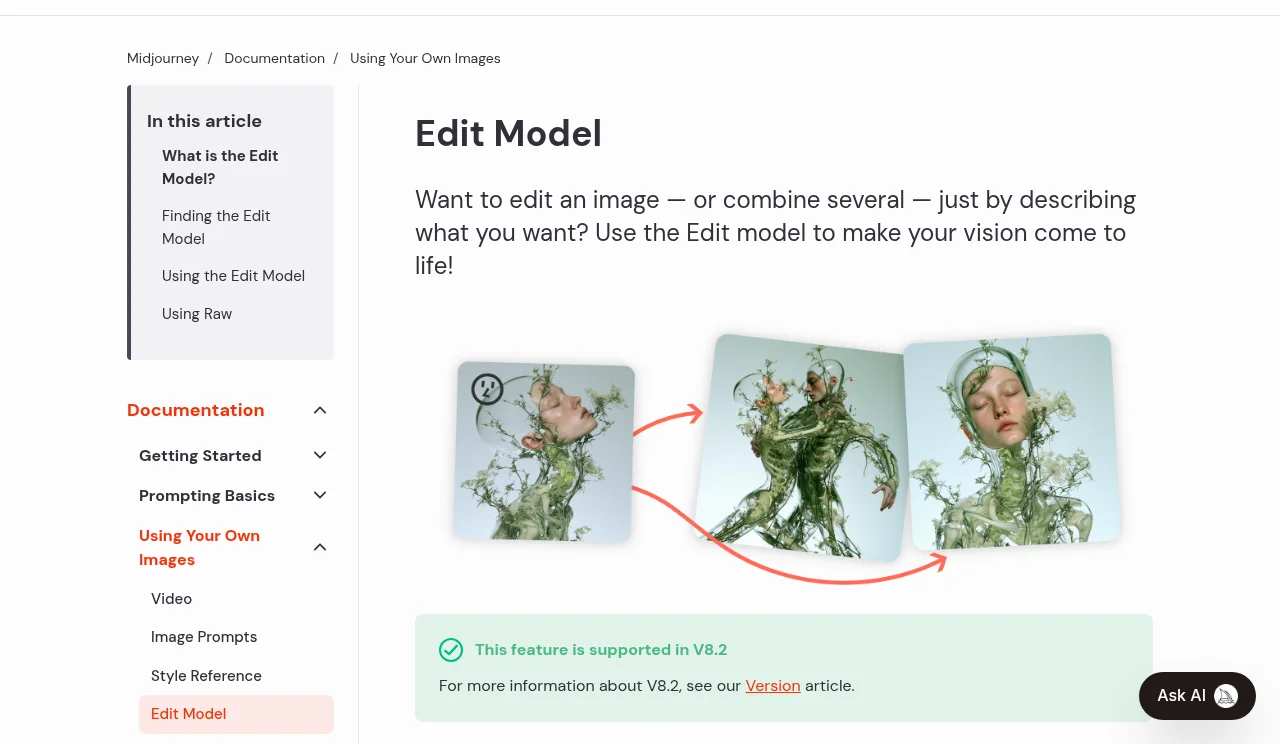
Which should you choose?
| Your situation | Pick | Why |
|---|---|---|
| Packaging with small text, ingredient panels or legal copy | Nano Banana Pro | Built for text rendering and high-fidelity product mockups |
| Brand campaign or social creative where mood matters most | Midjourney | V8.2 aesthetics, style references and moodboards |
| Thousands of catalog images through code | Nano Banana Pro or 2.1 | Per-image API pricing; 2.1 is cheaper |
| Small brand, a few hundred images a month | Midjourney Standard | Flat $30 a month with unlimited Relax image generations |
| Company over $1,000,000 in revenue using Midjourney | Midjourney Pro or Mega | Required for commercial use at that size |
| Unreleased product shots | Paid API, or Midjourney Pro or Mega | Paid Gemini API data isn’t used for training; Stealth mode keeps Midjourney images private |
Using both tools together
A simple workflow: explore looks in Midjourney with your moodboard, pick the frame the team likes, then rebuild that scene in Nano Banana Pro using your real packshot so the label stays exact. The reverse also works when Nano Banana Pro gives you a correct but flat image and you want Midjourney’s styling on top. Either way, the final check against the real product stays.
When the stills are approved, you can turn them into short clips. Our guide to AI video ads and our Kling prompts for product videos pick up from there.
How we put this comparison together
We checked Google’s Gemini API pricing, model, image-generation and deprecation pages, Google’s Gemini subscription page, Midjourney’s pricing page, version page, Edit Model docs, commercial-use page and update feed on 20 November 2026, and took the screenshots in this article from those pages on the same day. We did not receive anything from Google or Midjourney for this article. Read more in our editorial policy and how we research pages.
FAQs
Is Nano Banana Pro better than Midjourney for product photos?
For products with labels, logos or small text, Nano Banana Pro is the safer choice because Google built it for accurate text and high-fidelity product mockups. For styled lifestyle and campaign images, Midjourney V8.2 is usually stronger. Check every output against the real product either way.
Is Nano Banana Pro the same as Gemini 3 Pro Image?
Yes. Nano Banana Pro is Google’s name for Gemini 3 Pro Image, model code gemini-3-pro-image. The stable version replaced the preview on 28 May 2026.
How much does Nano Banana Pro cost?
Through the Gemini API it costs $0.134 per 1K or 2K image and $0.24 per 4K image, plus about $0.0011 per input image. There is no free API tier for it. In the Gemini app, access depends on your Google AI plan and region.
How much does Midjourney cost in 2026?
Basic is $10 a month, Standard $30, Pro $60 and Mega $120. With yearly billing they are $8, $24, $48 and $96 a month.
Can I use Midjourney images commercially?
Yes. Midjourney says you own what you create, even after canceling. If your business grosses more than $1,000,000 a year, you need a Pro or Mega plan to use the images commercially.
Can I use Nano Banana Pro images commercially?
Google’s Gemini API terms say Google won’t claim ownership over generated content, but it may generate similar content for others and you must follow applicable law. Every image carries an invisible SynthID watermark.
How many reference images can each tool use?
Nano Banana Pro can mix up to 14 reference images, including up to 6 high-fidelity object images, up to 5 character images and up to 3 style references. Midjourney’s Edit Model takes up to 4 reference images.
Which has higher resolution?
Nano Banana Pro outputs up to 4K. Midjourney V8.1 and V8.2 output 2048px images in HD mode without upscaling, with aspect ratios up to 4:1 in HD.
Should I use Nano Banana 2.1 instead of Nano Banana Pro?
If you need volume and speed, maybe. Nano Banana 2.1 is Google’s newer, cheaper model at $0.0504 per 2K image, and Google recommends it for most new projects. Keep Nano Banana Pro for complex edits where reasoning and text accuracy matter most.
Get help from Kreativemedia
Want product visuals made for you instead of testing both tools yourself? Contact Kreativemedia or see our AI static ads service. Tell us about your product and channels, and we will tell you whether Nano Banana Pro, Midjourney or a real shoot fits your budget.