

Answer: Grok Bot vs Claude is a choice between two different kinds of help for a marketing team. Grok Bot is an AI teammate that works on its own persistent cloud computer, so it suits jobs that have to finish in a real browser, inbox or scheduled routine. Claude is Anthropic’s assistant, and it suits long-form copy, creative briefs, claim-safe rewrites and shared Projects. Most teams will end up using both: Grok Bot to collect research, Claude to turn it into language. On pricing (checked on the official pages on 10 November 2026), Grok Bot comes with The X Subscription from Premium at $30 a month, and Claude Pro costs $20 a month billed monthly or $17 a month on the annual plan.
Quick verdict
- Pick Grok Bot for Ad Library sweeps, multi-app research, routines that keep running while you are offline and connector-led inbox triage.
- Pick Claude for hook libraries, UGC scripts, creative briefs, legal-tone rewrites and Project knowledge bases.
- Pick both when you collect competitor facts with a Bot and then turn them into ads inside Claude.
Why the Grok Bot vs Claude question matters in late 2026
Both products changed shape this year. On 12 August 2026, The Verge reported that Grok is now an AI “teammate” you can assign work, describing Bots that keep their own cloud computer. On 17 September 2026, The Verge covered how Claude Code relaunches Projects to manage multiple AI agents in the cloud. Around them, the wider agent market kept moving: TechCrunch reported on 29 September 2026 that Meta is expanding its AI agent Muse to small businesses.
With that much launch news, a generic model shootout does not help a marketing lead decide anything. A job map does. That is what the rest of this guide gives you.
Grok Bot vs Claude comparison table
| Dimension | Grok Bot | Claude |
|---|---|---|
| Core job | AI teammate that acts across apps and websites | Assistant for chat, Projects, Artifacts and Claude Code |
| Where it works | Persistent cloud computer with a browser, filesystem and terminal; keeps working when your laptop is closed | Web, desktop and mobile apps; Claude in Chrome on Pro and above; new cloud Projects (beta) rolling out from Claude Code |
| Memory and context | Named Bots keep context over time; all Bots on an account share one computer | Memory across conversations on every plan; Projects (Free accounts get up to five) |
| Automation | Skills plus routines that run on a schedule or after events | Hand off and schedule tasks on Pro, Max and Ultra |
| Copy depth | Solid drafts; we often pair it with Claude for long, rule-heavy copy | Strong at structured marketing writing |
| Entry paid price | Premium $30/month on The X Subscription (Grok Bot included) | Pro $20/month, or $17/month billed annually |
| Team pricing | Teams from $30 per user per month | Team Standard seat $25/month ($20 annual), 2 to 150 people |
Sources: Grok Bot docs, X Subscription pricing, Grok Bot plans and billing, Claude pricing and Claude Projects help, all checked on 10 November 2026.
What is Grok Bot?
Grok Bot gives you named Bots that each work on a persistent cloud computer with a browser, filesystem and terminal. A Bot uses connected apps where they exist and computer use for everything else, and the work carries on while your laptop is closed. You can teach a workflow once, save it as a skill, then run it as a routine on a schedule or after an event such as a Slack message, an email or a webhook.
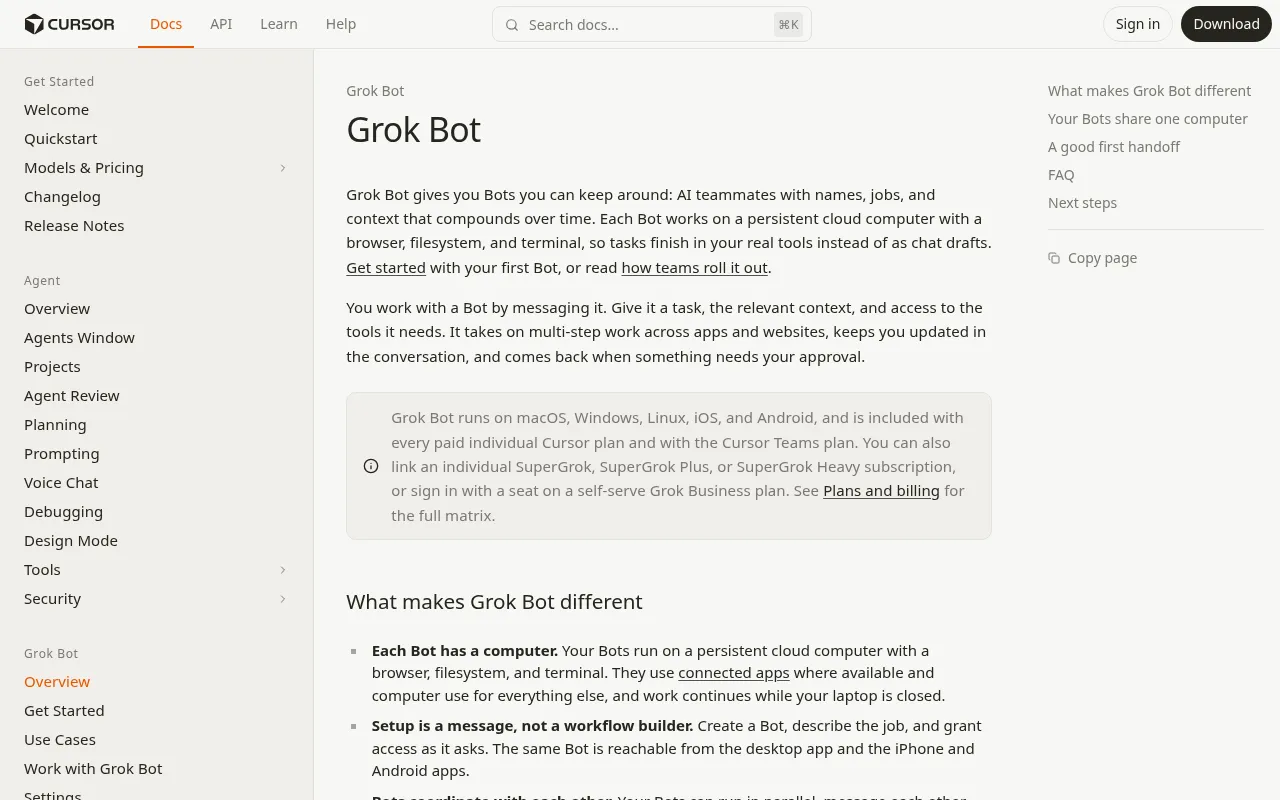
For a marketer, that means a Bot can open Ad Library pages, save screenshots, write a research file and leave the send button alone until you approve. One catch: every Bot on the account shares the same computer. Treat its browser sessions and downloads as a shared office, not a private laptop. Our Grok Bot examples post walks through 12 marketing use cases if you want to see the jobs in more detail.
What is Claude?
Claude is Anthropic’s assistant on web, desktop and mobile. Marketing teams mostly use it for drafting and editing inside Projects, which are workspaces with their own chat history and knowledge base, plus Artifacts for briefs, docs and slides. Claude Design, Slides and Docs are listed on the Free plan. Paid plans add more usage, Claude Code, Claude in Chrome and the ability to hand off and schedule tasks.
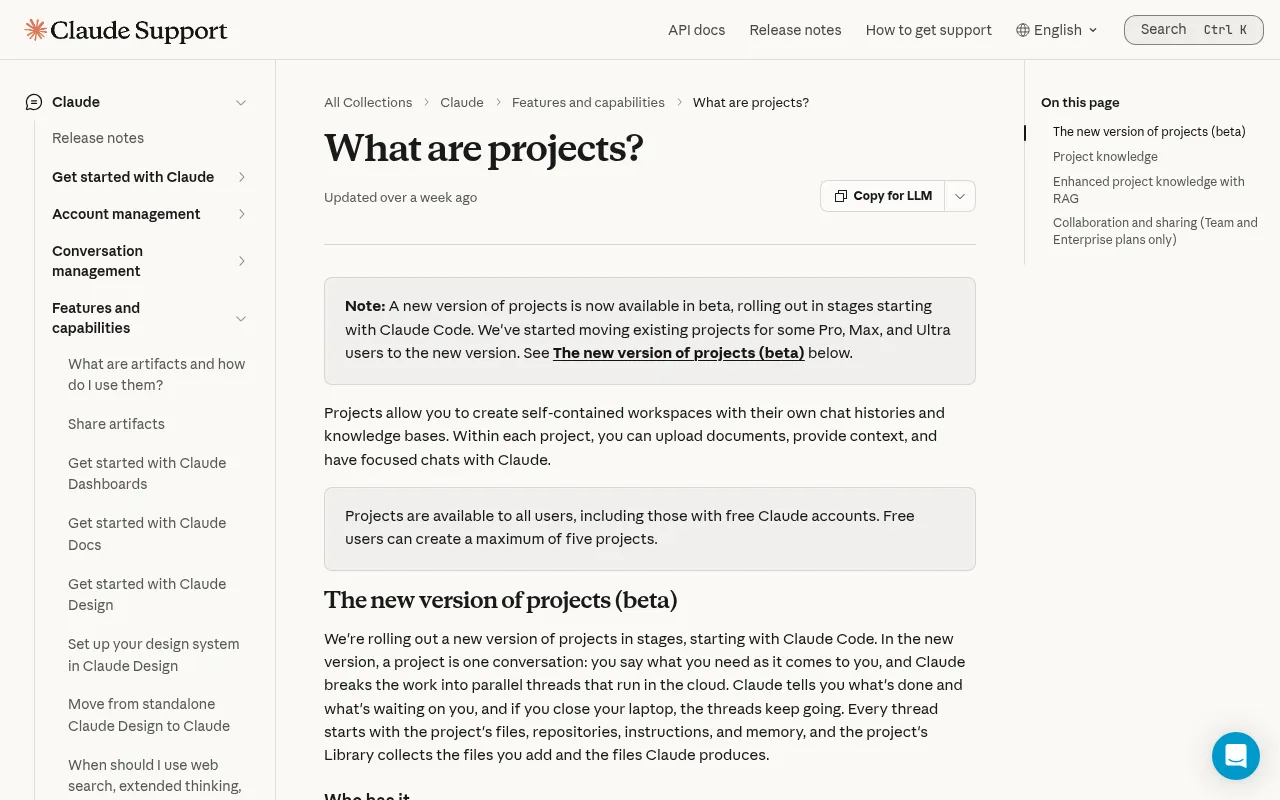
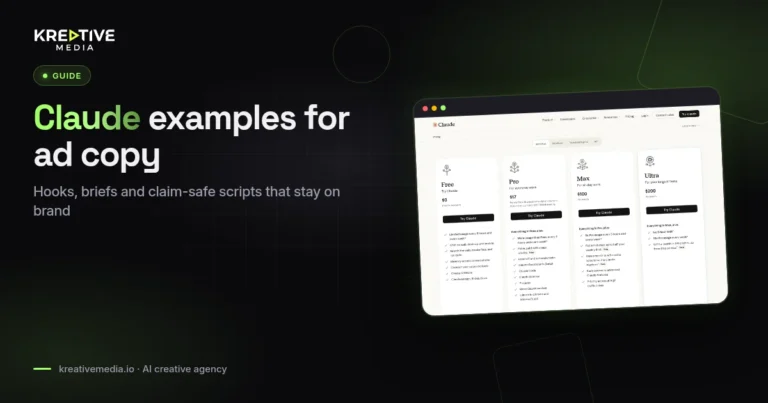
Claude is at its best as a brand brain. Put banned claims, tone rules, offer facts and past winning hooks in one Project, and every draft starts from the same rules. That is a different strength from a cloud computer that clicks through live sites on a timer. For prompt patterns, see our Claude examples for ad copy, hooks and creative briefs.
Marketing jobs mapped to each tool
Competitor ad research
Grok Bot is the better fit when you need screenshots and live page reading across many sites. Claude is the better fit when the transcripts are already pasted in and you need angle analysis. Most creative pods should collect with Grok Bot and analyse with Claude rather than forcing one tool to do both badly.
Creative briefs and scripts
Claude handles long documents with lots of constraints well, and Artifacts make it easy to share them. Grok Bot can draft too, but a Claude Project keeps brand rules steadier across a whole editorial team. Once scripts are approved, move them into production with the tools covered in AI UGC ads and our Arcads review.
Inbox and Slack ops
Grok Bot’s connectors and routines are built for recurring triage, and a Bot can finish the task in the app itself. Claude’s connectors are good at pulling context into a chat. Whichever you use, keep outbound sends human-approved until your legal team is comfortable.
Price and policy checks for content
Both can read public pages. Grok Bot is the stronger choice when the check has to run as a routine before every publish. That is how we check prices on Kreativemedia reviews such as the Higgsfield review, and it is one of the patterns in our AI agent case studies for ad ops.
UGC production itself
Neither one replaces Arcads, Creatify, Kling or Seedance. Agents sit upstream of render tools. For the production side, see Creatify vs Arcads and Kling vs Seedance.
Grok Bot vs Claude pricing (checked 11 November 2026)
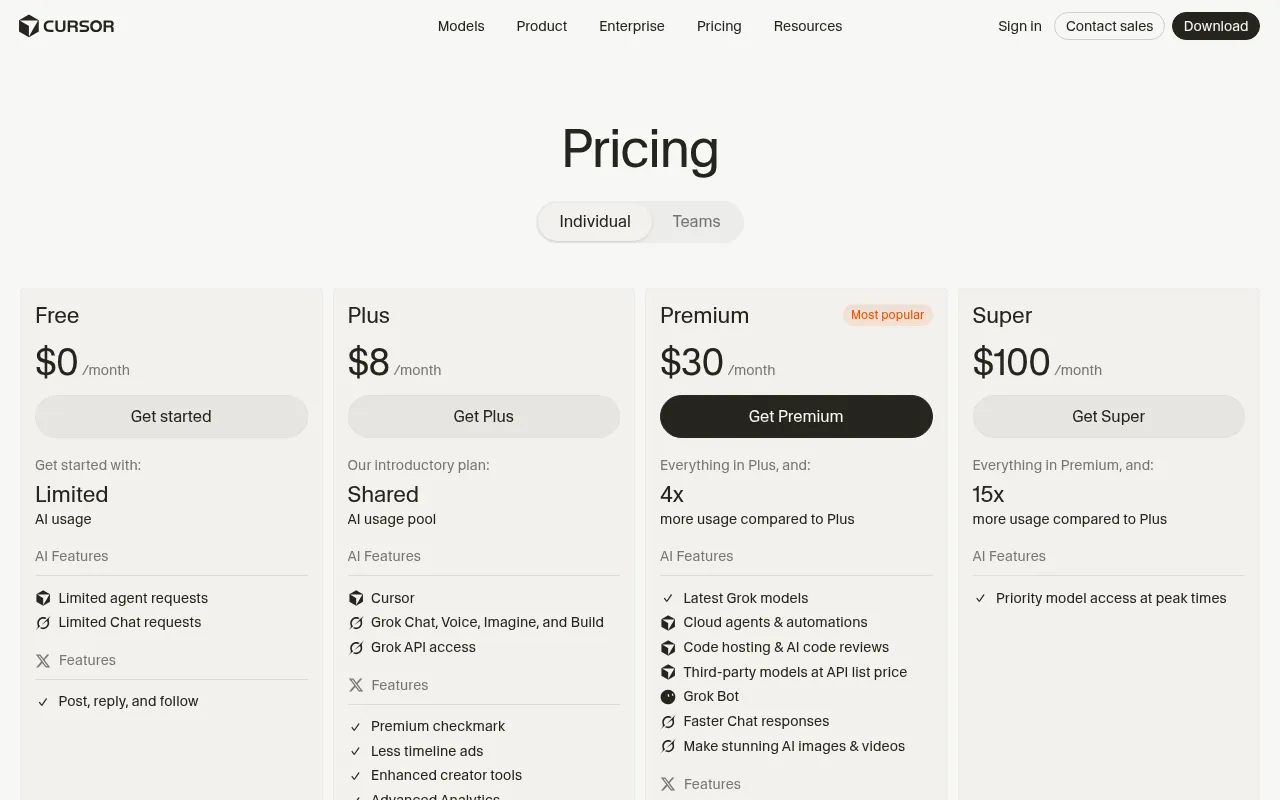
Grok Bot: On The X Subscription, Grok Bot is included on Premium ($30/month), Super ($100/month) and Ultra ($200/month). It is not included on Free or Plus ($8/month). Teams start at $30 per user per month. Grok Bot usage draws from one weekly pool shared with Cursor and the Grok apps, and Super and Ultra come with larger pools. Legacy Cursor Pro, Pro+, Ultra and Teams plans also include Grok Bot, with tiered weekly usage.
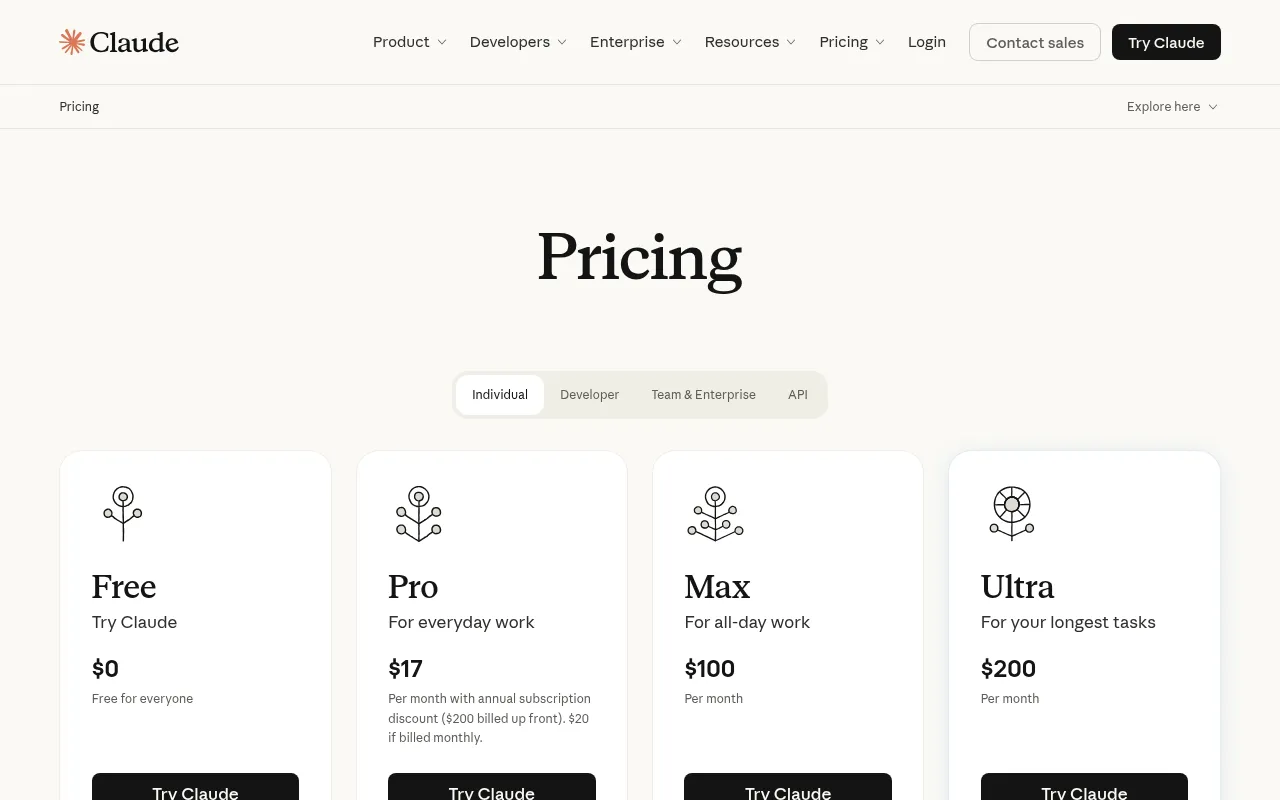
Claude: Free costs $0. Pro is $20/month, or $17/month on the annual plan ($200 billed up front). Max is $100/month and Ultra is $200/month. On Team, a Standard seat is $25/month ($20 billed annually) and a Premium seat is $125/month ($100 billed annually), for teams of 2 to 150 people.
Don’t pick on sticker price alone. If a $20 chat plan never finishes your browser research, it can cost more in staff hours than a $30 plan whose Bot clears the queue. The reverse is also true for copy-heavy teams. Prices change, so reopen claude.com/pricing and cursor.com/pricing before you buy.
Who should pick what?
- Solo performance marketer: start with whichever tool removes your biggest bottleneck. A browser research backlog points to Grok Bot. A copy backlog points to Claude Pro.
- Creative pod of 3 to 8 people: Claude Team for shared Projects, plus Grok Bot on one paid seat for research routines.
- Affiliate or publisher ops: Grok Bot for recurring checks, Claude for article systems.
- Brand with heavy legal review: Claude for claim tables, with any agent kept in draft-only mode.
Limits on both sides
- Grok Bot: some sites block automated browsing, the shared computer means shared credentials risk, and the weekly usage pool runs out on heavy weeks.
- Claude: Claude in Chrome works inside your own browser, and the new cloud Projects are still in beta, so a Bot that lives on its own computer is the more natural fit for unattended browser work. Claude can also invent proof if you let it, so give it the facts.
- Both: bad inputs produce confident wrong outputs. Your approval rules matter more than the logo.
Recommended combined workflow
- Grok Bot collects Ad Library notes and landing page facts into a markdown file.
- A human deletes anything that is not verified.
- Claude turns the cleaned file into hooks, scripts and an Artifact brief.
- An editor runs a claim-safe pass.
- A producer builds the video in your UGC stack.
- The media buyer tests it, and nobody calls a winner without data.
A decision tree for your next planning meeting
Ask four questions. Does the task require clicking through live websites that have no tidy API? Start with Grok Bot. Does it need a long brand brain and multi-section documents that editors will reuse? Start with Claude. Does it repeat on a schedule? Grok Bot routines are built for that, though Claude’s paid plans can now schedule tasks too. Does legal need a redline table of claims? Use Claude with a strict system prompt.
If two answers point in different directions, split the workflow. That is normal, and it keeps you from writing the “one agent replaced our whole team” story that nobody believes.
How to measure the week without vanity KPIs
Start with three numbers any editor can collect without a BI tool. Cycle time runs from brief request to approved research pack. Edit rate counts how many sentences a human rewrites before publishing or shooting. Rejection rate counts packs thrown away because the angle list was useless. Log them in a shared sheet every Friday. After four weeks you will know whether the agent saves hours or only moves the same work into review meetings.
Don’t attach paid media ROAS to a research agent in month one. Media results depend on offer, creative, audience, season and landing page. An honest ops win can sit next to a flat ROAS without being a failure. When leadership asks for a money number, convert the hours saved into the loaded hourly cost of the people who used to do the work. It is still an estimate, but it is closer to the truth than a made-up conversion chart.
Log failures in the same sheet: captcha stops, rate limits, empty search results and hallucinated prices. Teams that hide failures over-automate the next sprint. Teams that write them down get better stop rules.
Handing research from agents to production
A research pack only helps if producers can act on it the same week. Use a fixed template: brand, offer, three angle families, proof links, banned claims and one suggested first test. Store it where the creative pod already works instead of starting a second wiki that nobody opens.
Once the pack is approved, production follows our guidance on AI UGC ads and Meta AI disclosure for UGC ads. Agents don’t replace rights checks, credit math or disclosure decisions. For budgets, keep how much AI video ads cost and AI UGC vs real creators cost open next to the pack.
FAQs
Is Grok Bot better than Claude for marketing?
Grok Bot is better for work that has to happen in browsers and apps on a schedule. Claude is often better for deep copy systems. Which one is better depends on the task.
Can I replace my copywriter with either tool?
No. Both speed up drafts, but brand voice, offers and legal review stay with people.
Which is cheaper to start with?
Claude Pro is $20 a month, or $17 a month billed annually. Grok Bot starts with Premium on The X Subscription at $30 a month. Compare how much usage you need, not only the sticker price.
Can Claude use a computer like Grok Bot?
Partly. Claude in Chrome on paid plans lets Claude work in your browser, and Claude’s new cloud Projects are in beta. Grok Bot is built around a persistent cloud computer with routines, so don’t assume the two match feature for feature.
Should agencies standardise on one tool?
Standardise the workflow, not the logo. Plenty of agencies will keep both.
How does this relate to AI video tools?
Grok Bot and Claude sit upstream of render tools. Cost and rights questions still apply, as covered in how much AI video ads cost and Is Seedance safe for commercial use?
What about ChatGPT?
ChatGPT is a third option for many teams. This guide sticks to Grok Bot vs Claude to keep the decision simple.
Which 2026 news stories give useful context?
The Verge on Grok Bot as an AI teammate (12 August 2026), The Verge on Claude Code relaunching Projects (17 September 2026) and TechCrunch on Meta expanding its Muse agent (29 September 2026) are good starting points.

Jitendra Vaswani is an SEO expert, AI and marketing professional, and the founder behind Kreativemedia. He started BloggersIdeas in 2013, runs AffiliateBooster and SchemaNinja, and through DigiExe has worked with 1,400+ clients across 28 countries. He is the international bestselling author of Inside A Hustler’s Brain (20,000+ copies) and has spoken at Affiliate Summit, Affiliate World, DMSS and TES. Find him at jitendra.co.