Answer: AI agents help with competitor ad research by doing the slow collection work for you: they open the Meta Ad Library, TikTok Top Ads and Google’s Ads Transparency Center, capture screenshots of live creatives, note hooks, offers and CTAs, and draft a research pack your strategist can edit in under an hour. They cannot tell you which competitor ads make money, because public ad libraries don’t publish spend or results for ordinary commercial ads. In November 2026, computer-use agents such as Grok Bot and new Ad Library connectors for Claude and ChatGPT made this workflow practical for two-person teams. This guide covers a safe setup, the fields worth collecting, a pack template, the failure modes we plan around and how to hand research to UGC production without inventing performance claims.
Safe defaults for a research agent
- Give it read-only access. A research agent never needs spend or edit rights on an ad account.
- Hand it a fixed list of competitor brands and queries so it doesn’t wander the whole internet.
- Tell it to stop at a captcha or login wall and hand over to a human.
- Let it propose angles, but keep the call on which angles go into production with a person.
Why AI agents beat copy-paste competitor ad research in 2026
Manual competitor ad research dies the moment a strategist gets pulled into Slack. An agent that runs on its own cloud computer keeps going. The Verge (12 August 2026) described Grok Bot as an AI teammate you assign work to, with its own computer, that comes back when the job is done or needs approval. That is the right shape for a Monday Ad Library sweep: you write the brief once, and the agent works through the brand list while your laptop is closed. If you’re still choosing a tool, our Grok Bot vs Claude comparison covers which one fits research and which fits copy.
The platforms are pulling agents closer to media buying at the same time. TechCrunch (29 September 2026) reported Meta expanding its Muse agent to small businesses, with integrations into commerce tools and Meta ads. On 5 October, TikTok’s newsroom said the TikTok for Business MCP is now available as a connector on AI platforms including Claude and Perplexity. Vendors clearly want agents inside ad accounts. Our view: keep research agents and buying agents separate until your approval rules are written down and tested.
Ad formats keep shifting too. OpenAI’s post Reimagining advertising with AI (16 September 2026) introduced a test of Sponsored Agents inside ChatGPT, and TechCrunch reported on 5 October that OpenAI is adding visual ads next to generated images. If your competitor research already captures hooks, offers and claims in a structured way, you can reuse that work when competitors show up in chat-style placements. Our AI news roundup for creative teams tracks these launches week by week.
Where AI agents look: the three public ad libraries
Most competitor ad research for DTC and app brands starts in three free, public places. An agent with a browser can open all three without logging in.
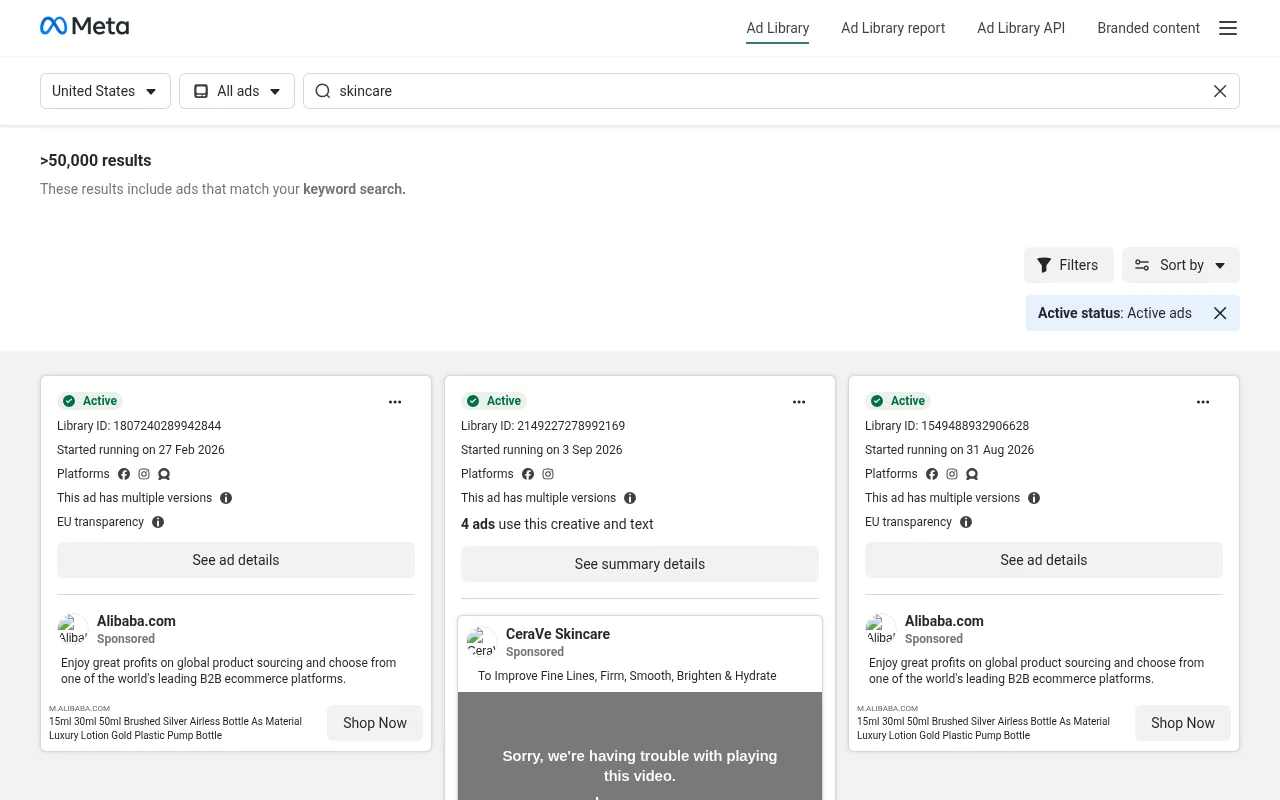
Meta Ad Library. Meta’s own page says it lets you search all ads currently running across Meta technologies, plus social issue, election and political ads from the past seven years, ads that ran in the EU in the past year and ads that ran in the UK in the past year (after 1 July 2025). New ads appear within 24 hours of their first impression. Each result card shows a Library ID, the date the ad started running, the platforms it runs on and whether it has multiple versions. What it doesn’t show for an ordinary commercial ad is spend, impressions or results.
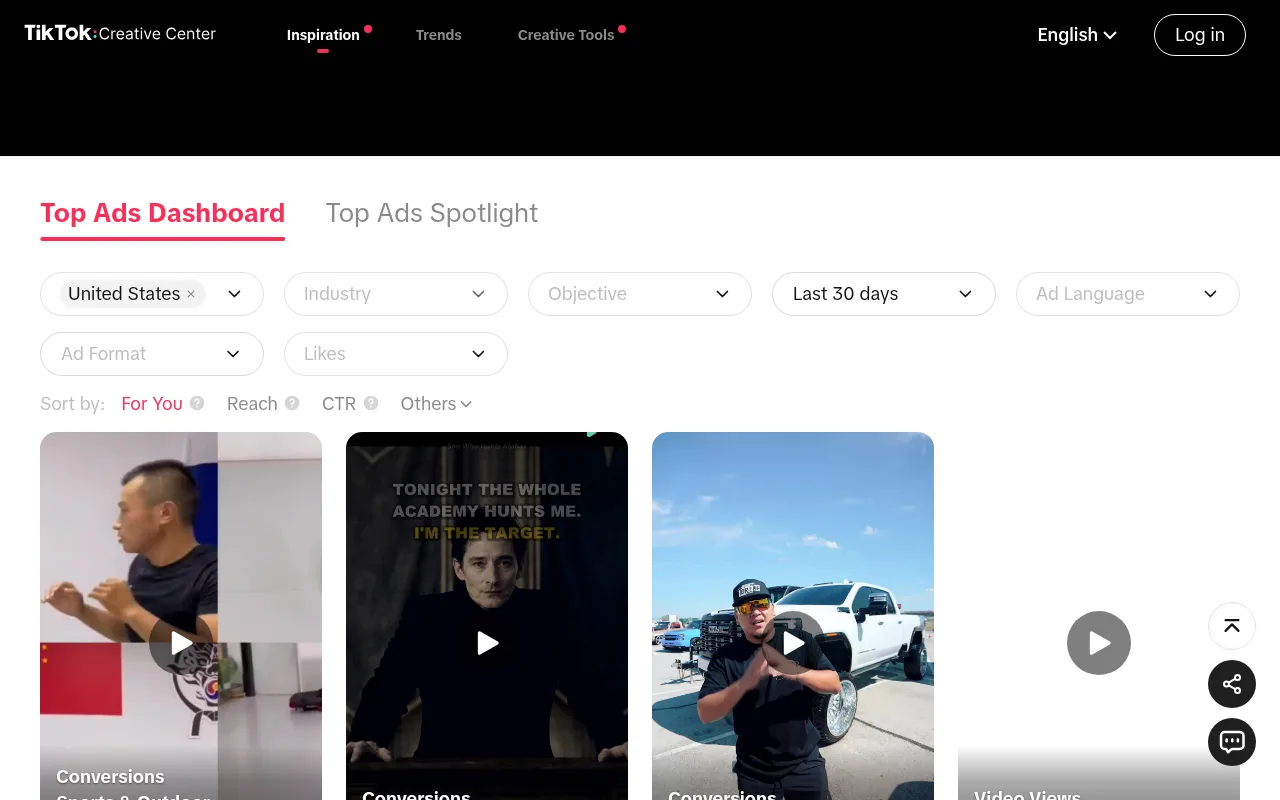
TikTok Creative Center Top Ads. The Top Ads Dashboard lets you filter by country, industry, objective, ad format, language and date range (for example the last 30 days), then sort by reach or CTR. It is useful for spotting hook formats and on-screen text styles that are common in your category right now. Treat its ranking signals as TikTok’s own curation, not proof of what a specific competitor earns.
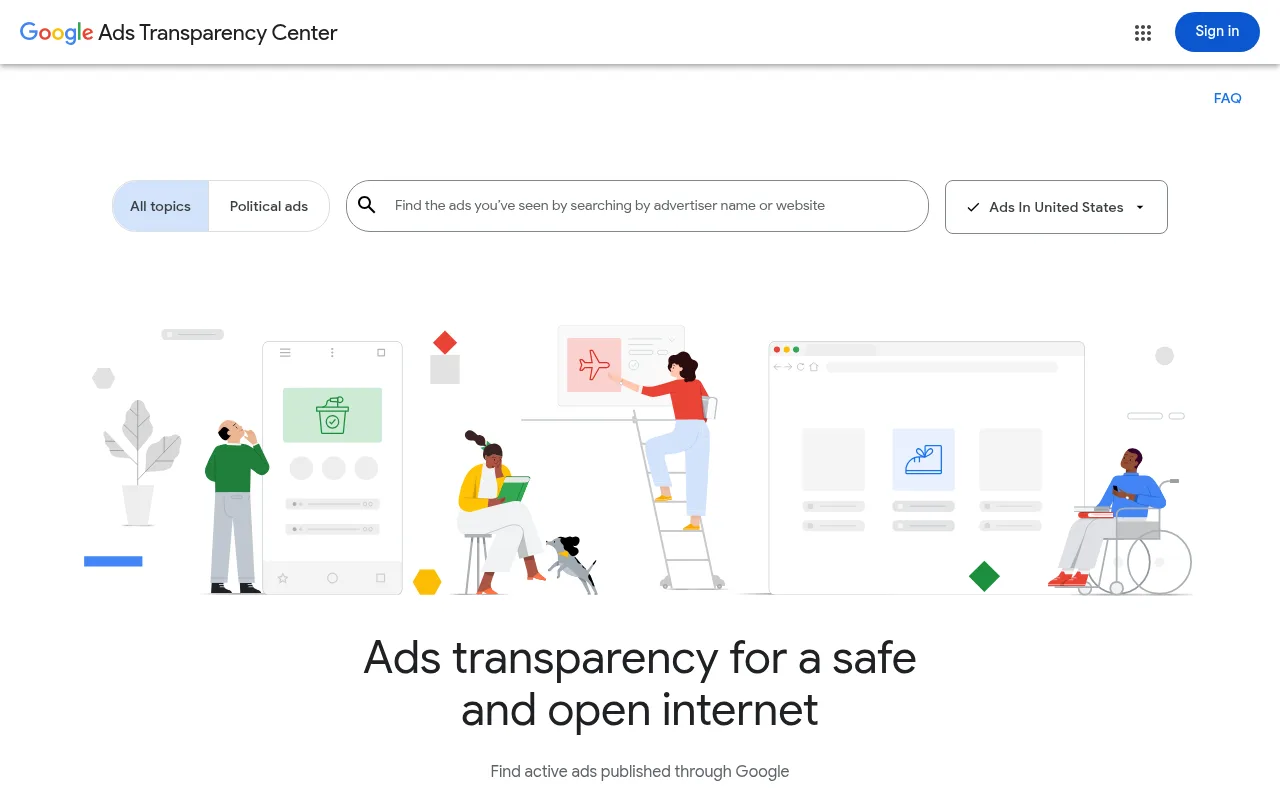
Google Ads Transparency Center. Here you search by advertiser name or website and filter by region to see active ads published through Google. It is the quickest way to check whether a competitor is pushing the same offer on search as on social.
Paid spy tools and the newer Ad Library MCP connectors for Claude and ChatGPT can pull these sources faster and at bigger volume. They still read the same public data, so the same limits apply: no disclosed spend, no conversions and no ROAS for ordinary commercial ads.
What the agent should collect
A research pack is only as useful as its fields. This is the table we put in every research brief:
| Field | Why it matters | Agent or human |
|---|---|---|
| Brand, product and Library ID | Keeps packs searchable and lets anyone re-open the exact ad | Agent |
| Start date and “still running” check date | Run time is a signal worth a closer look, not proof of performance | Agent |
| Platform and placement clues | Formats differ by surface | Agent |
| Hook text and first three seconds | Feeds script writing | Agent drafts, human edits |
| Offer and CTA | Stops false comparisons between a discount ad and a full-price ad | Agent |
| Proof device (demo, UGC, founder, testimonial) | Maps to production recipes | Human confirms |
| Claim risk flags | Protects compliance in regulated categories | Human owns |
| Screenshot file path | Evidence for every quoted hook | Agent |
The start date field deserves extra care. An ad marked active in a third-party index may have stopped days ago, so tell the agent to re-open each ad on the live library before calling it “running” and to record the date it checked.
How to set up a competitor ad research agent, step by step
- Create a named Bot for research only. Don’t mix it with a Bot that can send email or post.
- Give it a fixed list of competitor brands, domains and Ad Library search terms.
- Paste the field table above into its instructions as a markdown template.
- Tell it to save files in a dated folder, never click purchase and never message anyone.
- Tell it to stop and ask when a captcha, paywall or unexpected login appears.
- Run it supervised for the first five sessions and log your minutes and edit rate.
- Save the instructions as a reusable skill only after two clean runs, then add a weekly routine.
Official onboarding videos help new teammates understand what the product can do. They don’t replace your stop rules, so write those first.
The research pack template (copy it into your Bot instructions)
Use the same plain structure every week:
- Date and Bot name
- Competitor list covered, with the libraries checked for each
- Top five creatives per brand, each with a screenshot filename and Library ID
- Three angle families with a one-line rationale each
- Claims to avoid copying
- Open questions for the strategist
Boring is good here. Creative teams skim free-form essays and ignore them, but they use tables and filenames. For prompt ideas once the pack is approved, see our Claude ad copy examples and Grok Bot examples.
Building an angle taxonomy your whole pod understands
Research packs fall apart when every strategist invents their own labels. Agree on a short list: problem agitation, demo proof, social proof, offer urgency, founder story, myth bust and before/after. Make the agent tag each creative with one primary and one secondary label from that list. People can override a tag, but everyone starts from the same words.
Once labels are stable, your copy stack can generate hook boards per label instead of random brainstorms. Producers then know whether they’re shooting a demo-first clip or a testimonial-first clip, and that clarity cuts reshoots more than a model upgrade does.
Review the taxonomy every quarter. When a new format appears, such as a chat that continues after an ad click, add one label instead of rebuilding the system.
Common failure modes (and the fix for each)
- Wandering scope. The Bot follows related brands forever. Fix it with a hard brand list and a maximum page count.
- Hallucinated ad copy. The Bot summarises from memory instead of the live page. Require a screenshot for every quoted hook.
- Stale “active” ads. An ad looked live in an index but stopped running. Re-open it on the official library and log the check date.
- Login creep. The Bot asks to sign in to an ad account. Deny it and stick to public surfaces.
- Stale offers. The landing page changed after capture. Keep a capture timestamp and have a person re-check before writing the brief.
- Over-collection. Fifty weak ads bury the three useful ones. Cap it at five per brand.
From research pack to production, without fake ROAS stories
After a person picks the angles, move into the render tools you already trust. Start with AI UGC ads for the process, then Creatify vs Arcads or our Arcads review for avatar routes. For motion work, our guides to AI video ads and Kling vs Seedance cover the current models. Keep how much AI video ads cost and AI UGC vs real creators cost open for budget math, and follow Meta’s AI disclosure rules before anything ships.
The agent did the research. The producer still owns taste, and the media buyer still owns the test design. If someone asks what the agent “converted,” answer with minutes saved and packs delivered. Don’t invent revenue.
For real examples of agents in ad operations, read our AI agent case studies for ad ops.
How to measure the workflow without vanity KPIs
Track three numbers anyone can collect without a BI tool. Cycle time is the gap between a brief request and an approved research pack. Edit rate is how many sentences a person rewrites before the pack goes to production. Rejection rate is the share of packs thrown away because the angle list was useless. Log them in a shared sheet every Friday, and after four weeks you’ll know whether the agent saves hours or just moves the same work into review meetings.
Don’t attach paid media ROAS to a research agent in the first month. Media results depend on the offer, creative, audience, season and landing page. A real ops win can sit next to flat ROAS without being a failure. If leadership wants a money figure, multiply the hours saved by the loaded hourly cost of the people who used to do the work, and label it an estimate.
Log failures in the same sheet: captcha stops, rate limits, empty searches and hallucinated details. Teams that hide failures over-automate the next sprint. Teams that write them down end up with better stop rules.
Agency vs in-house differences
Agencies need client-separated folders and stricter rules about what goes into screenshots. In-house teams can keep richer archives, but they still need to protect unreleased product details. Both should keep research Bots away from live ad accounts. If leadership wants a Muse-style connector into Ads Manager, run it as a separate pilot with finance and legal involved.
Working with legal and brand on competitor swipe files
Swipe files make lawyers nervous when screenshots include competitor trademarks and writers paste claims into new scripts. Write the rule down: research archives are internal, production scripts never reuse competitor slogans, and regulated claims get a separate review. The agent can flag words like “clinically,” “guaranteed” or disease references for a person to check.
Decide on retention as well. Some teams delete raw competitor screenshots after 90 days and keep only the structured notes. Others keep archives to train new hires. Either works if the policy is written. An agent with unlimited storage and no policy turns confidential folders into a mess.
Finally, teach juniors the difference between inspiration and imitation. An angle family labelled “demo first” is inspiration. A competitor’s hook copied word for word is imitation, and your Bot instructions should say so in plain language.
FAQs
How do AI agents help with competitor ad research?
They open public ad libraries and landing pages, capture screenshots, record hooks, offers and CTAs, and draft a structured research pack. A person still picks the angles and checks claims.
Can an AI agent replace a competitive strategist?
No. It replaces repetitive collection. Angle selection and risk judgment stay with people.
Is the Meta Ad Library enough as a source?
It is a strong free starting point. Add TikTok Creative Center and Google’s Ads Transparency Center, capture landing pages and offers, and never treat presence in the library as proof that an ad performs.
Can AI agents see competitor ad spend or ROAS?
No. For ordinary commercial ads, the public libraries don’t publish spend, impressions or results. Any spend figure from a third-party tool is an estimate and should be labelled that way.
Should the agent log in to our ad account?
Not for research. Stick to public surfaces. If you use paid spy tools, keep the credentials in a vault and don’t share them across Bots.
How long should a weekly research pack take?
Set your own target from the cycle time you log in the first four supervised weeks, then aim to cut it without raising the edit rate.
What metrics prove the workflow works?
Time to pack, edit rate and the share of angles that reach production. Not ROAS in week one.
How do we avoid copying competitor claims?
Flag regulated categories, run a claim check before scripts are written and follow Meta’s AI disclosure rules for anything AI-generated.
Where do the research findings go next?
Into Claude or your copy stack for hooks and scripts, then into UGC and video render tools. Keep the chain documented so anyone can trace a script back to its source ads.

Jitendra Vaswani is an SEO expert, AI and marketing professional, and the founder behind Kreativemedia. He started BloggersIdeas in 2013, runs AffiliateBooster and SchemaNinja, and through DigiExe has worked with 1,400+ clients across 28 countries. He is the international bestselling author of Inside A Hustler’s Brain (20,000+ copies) and has spoken at Affiliate Summit, Affiliate World, DMSS and TES. Find him at jitendra.co.