
Seedance vs Veo, short version: Seedance 2.5 is the better pick when a product ad needs one long, tightly referenced take, and Veo 3.1 is the better pick for short, polished 8-second shots with native sound inside Google’s tools. Seedance 2.5 makes clips of up to 30 seconds with audio and accepts up to 30 reference images. Veo 3.1 makes 4, 6 or 8-second clips at up to 4K with native audio. On price, a 5-second 720p Seedance 2.5 clip is estimated at $1.156 on the BytePlus API, while Google Cloud lists Veo 3.1 with audio at $0.40 per second, or $3.20 for an 8-second clip. One big change to know before you choose: Google is moving its own apps from Veo to Gemini Omni Flash, and Google Flow retires Veo 3.1 Fast and Quality on 5 December 2026. We checked every price, plan and date below on the official pages on 25 November 2026.
This Seedance vs Veo comparison is built from ByteDance’s and Google’s own model pages, pricing pages, help docs and terms, plus independent news coverage. We haven’t run a scored side-by-side test bench on these two models for this article, so there are no invented scores or win rates here. You get the specs that matter for ads, what each clip really costs, how commercial rights work on each route, and how our team would decide between them for a product brief.
Seedance 2.5 vs Veo 3.1 at a glance
| Question (checked 25 Nov 2026) | Seedance 2.5 | Veo 3.1 |
|---|---|---|
| Who makes it | ByteDance (Seed team) | Google DeepMind |
| Clip length per generation | Up to 30 seconds, with extensions | 4, 6 or 8 seconds, with extend on Google Cloud |
| Resolution | 480p, 720p, 1080p and 4K (BytePlus); Flash stops at 720p | 720p, 1080p and 4K output |
| Native audio | Yes, generated with the video | Yes, generated with the video |
| References | Up to 30 images, 10 video clips and 10 audio clips | Reference images (8-second clips only), first and last frame |
| Aspect ratios for social | 9:16, 16:9, 1:1 and more | 9:16 and 16:9 |
| Where to use it | Dreamina, BytePlus ModelArk API (not in the US), partner platforms | Google Flow, Google Cloud (Gemini Enterprise Agent Platform, formerly Vertex AI), partner platforms |
| API list price | $1.156 per 5-second 720p clip (Seedance 2.5); $0.76 on Flash | $0.40 per second with audio at 720p or 1080p; $0.60 at 4K |
| Watermarking | Visible watermark and C2PA Content Credentials on BytePlus | SynthID invisible watermark; C2PA on Google Cloud |
| Safe for paid ads | Conditional: depends on the access route | Conditional: depends on the plan and terms you use |
Want product ads made with Seedance, Veo or both? Kreativemedia produces AI video ads for ecommerce and DTC brands. Contact us or see our AI video ads service.
What are Seedance 2.5 and Veo 3.1?
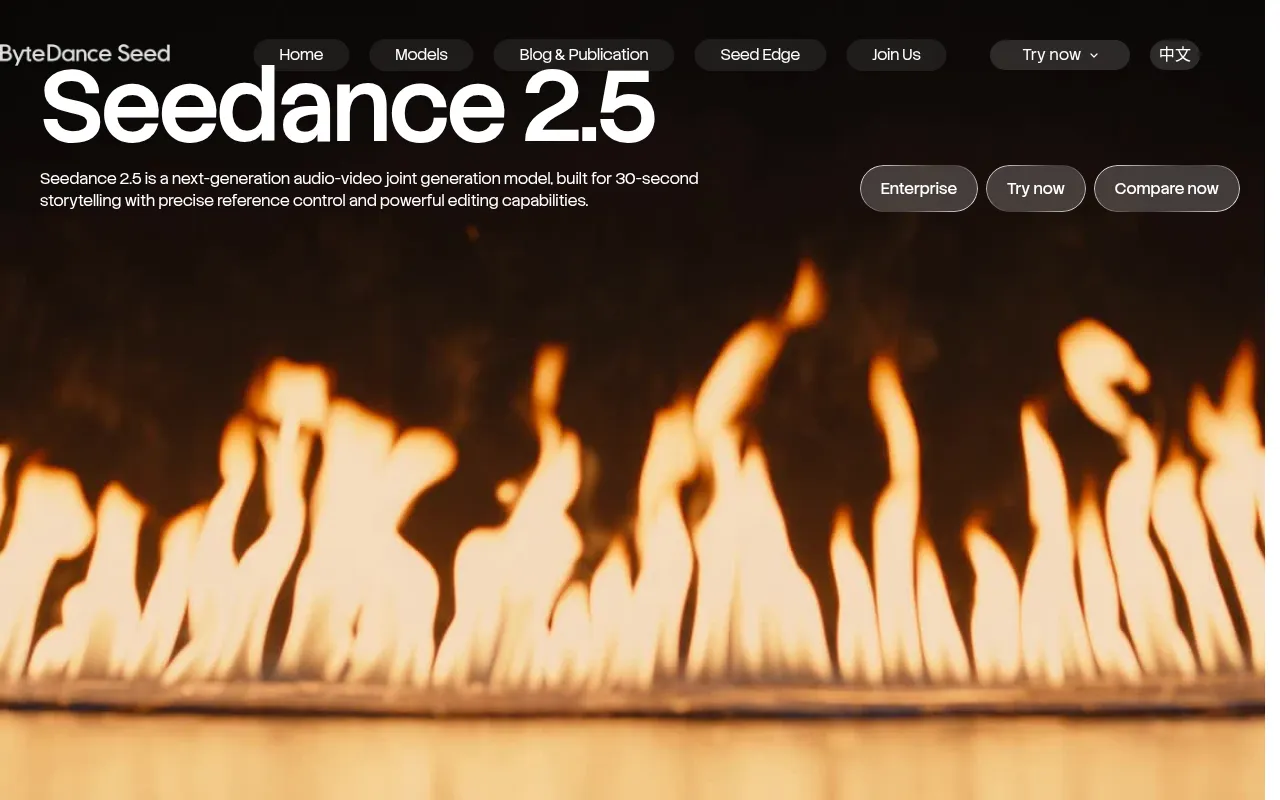
Seedance 2.5 is ByteDance’s flagship video model, released on 31 July 2026. ByteDance’s launch post describes it as built for 30-second storytelling with precise reference control and editing. It doubled the single-pass length of Seedance 2.0, raised the reference limit to 30 images, 10 video clips and 10 audio clips, and added timestamp-level editing. A cheaper Seedance 2.5 Flash model followed in November 2026, limited to 480p and 720p. Most brands reach Seedance through Dreamina, ByteDance’s creative app under the CapCut umbrella. Developers outside the US use the BytePlus ModelArk API. Our Seedance review covers the model on its own in more depth.
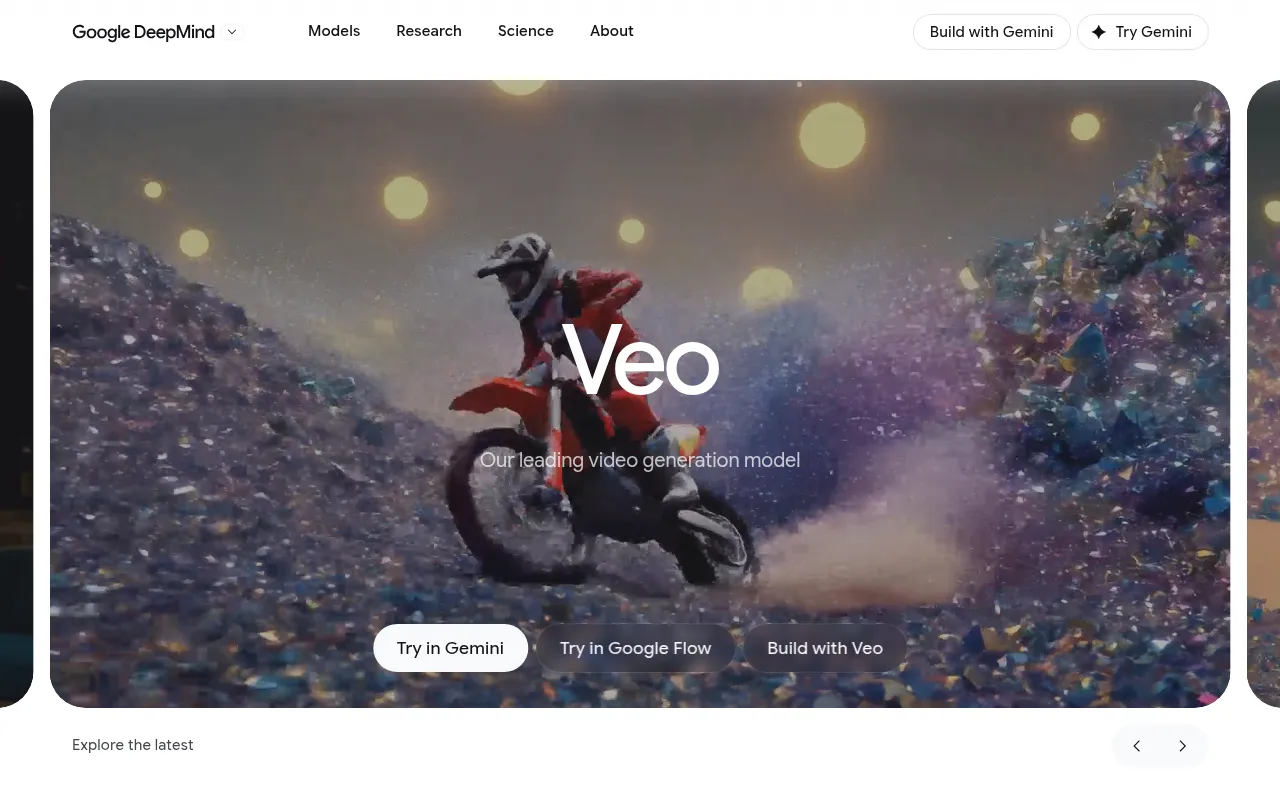
Veo 3.1 is Google DeepMind’s latest Veo model. Google introduced it in October 2025, and its official Veo page still calls it “our leading video generation model.” Its pitch is “video, meet audio”: dialogue, sound effects and ambience generated in the same pass as the picture. It supports text to video, image to video, first and last frame control, reference images and extension. On Google Cloud, the Veo 3.1 model page lists 4, 6 or 8-second clips, 9:16 and 16:9 formats, and 720p, 1080p or 4K output. There is no Veo 4. Google hasn’t announced one, and its pages list nothing newer than Veo 3.1.
Google’s newer model: Gemini Omni Flash
Here is the part most Seedance vs Veo comparisons miss. Google now has a second video family, Gemini Omni, launched at Google I/O in May 2026. TechCrunch covered the launch as a model that turns images, audio and text into video. On 5 November 2026, Google released Gemini Omni 1.2 Flash, which makes clips from 3 to 15 seconds and lets you edit a clip through follow-up prompts. The Verge reported that it can change part of a video without regenerating the whole clip.
That shift changes where you can still find Veo:
- Gemini app: Google’s video generation page says Gemini Omni “will now replace the previous Google Gemini Veo 3.1 model” in the app.
- Gemini API: the Veo 3.1 preview models were shut down on 22 October 2026, with gemini-omni-1.2-flash named as the replacement.
- Google Flow: Veo 3.1 Fast and Veo 3.1 Quality retire on 5 December 2026. Veo 3.1 Lite and Omni Flash 1.2 stay.
- Google Cloud: Veo 3.1 is generally available, with a listed retirement date of “May 4, 2027 or later.”
So if you are picking a Google model for ad work that starts in December, the real choice is often Seedance 2.5 vs Veo 3.1 on Google Cloud, or Seedance 2.5 vs Omni Flash in Flow. We cover both below.
Which handles product ads better?
Without a scored test of our own to quote, the fairest comparison is on the features that decide whether a clip can ship in a paid ad. ByteDance and Google document these clearly.
Clip length and structure
Seedance 2.5 has the clear edge on length. Thirty seconds in one generation covers a hook, a product reveal and an end card without stitching. Veo 3.1 tops out at 8 seconds per generation, so a 15-second Reels ad means two or more clips joined in an edit, or extensions on Google Cloud. For short cutdowns and B-roll inserts, 8 seconds is often enough. For a single continuous take, it isn’t.
Keeping the product on brief
Product fidelity usually comes down to references. Seedance 2.5 accepts far more of them: several packshot angles, a motion clip for the camera move and an audio bed, all in one request. Veo 3.1 supports reference images too, but Google’s docs limit reference-image generation to 8-second clips. If your bottle shape, label and colours drift between runs, more references give you more control. Either way, check small label text at full screen. Both models can blur or swap letters in fine print, so plan to composite the real label in post when it has to be legible.
Native audio
Both generate sound with the picture, which closes a gap that older comparisons talk about. Veo built its reputation on audio, and Google’s page leads with it. Seedance 2.5 also generates audio and accepts audio references, which helps when you want a specific voice or music feel. For UGC-style ads with a presenter talking, native audio saves a voice and lip-sync step. For product B-roll, most brands swap in licensed music anyway, so audio matters less there.
Fixing a bad clip
Seedance 2.5 supports targeted edits by timestamp, character or element, so a wrong label in seconds 4 to 6 can be fixed without starting over. Veo 3.1 on Google Cloud offers generation and extension rather than conversational editing. If editing matters most to you inside Google’s stack, that is exactly what Omni Flash 1.2 adds.
Known weak spots
ByteDance is frank that Seedance 2.5 still has “room for improvement, particularly regarding the physical plausibility of complex motions and the stability of scenes involving interactions among multiple subjects.” Pours, fabric in motion and hands holding products are where any video model slips first, Veo included. Treat every clip as a draft until someone checks the label, the hands and the physics at full size.
How much do Seedance 2.5 and Veo 3.1 cost?
Neither model has one price. Seedance is sold through Dreamina plans, BytePlus tokens and partner credits. Veo is sold through Google Cloud per second, Google Flow credits and partner platforms. Here are the official numbers as of 25 November 2026.
Seedance 2.5 pricing
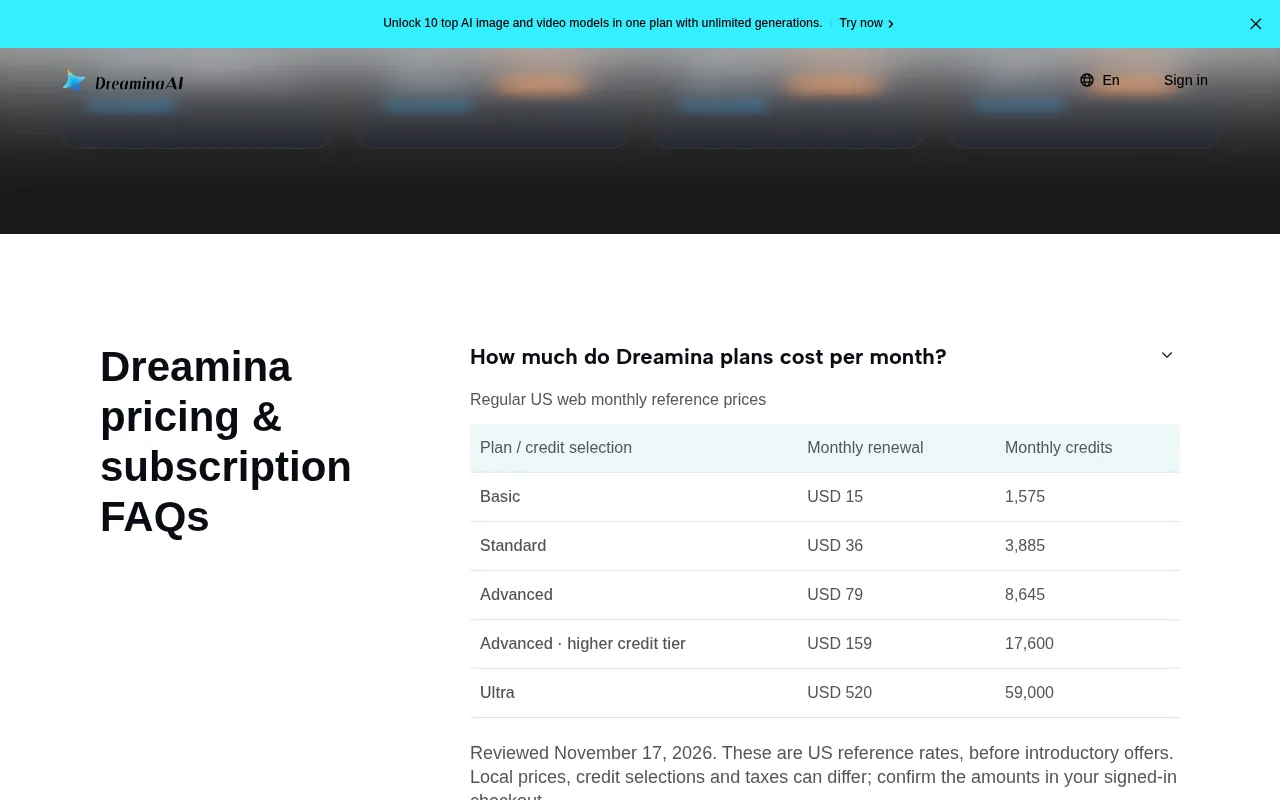
Dreamina’s pricing page lists these regular US web monthly prices, marked as reviewed on 17 November 2026:
| Dreamina plan | Monthly renewal | Monthly credits |
|---|---|---|
| Basic | $15 | 1,575 |
| Standard | $36 | 3,885 |
| Advanced | $79 | 8,645 |
| Advanced, higher credit tier | $159 | 17,600 |
| Ultra | $520 | 59,000 |
Dreamina doesn’t publish a fixed credit cost per Seedance clip. It shows a quote before you generate, based on model, resolution and duration. Eligible accounts can get a first month of Basic for $0.29, and local prices and taxes can differ.
On the API side, the BytePlus ModelArk pricing page bills by tokens but publishes these estimates for a 5-second 16:9 clip with no video input:
| Model (5-second clip) | 480p | 720p | 1080p | 4K |
|---|---|---|---|---|
| Seedance 2.5 | $0.514 | $1.156 | $2.843 | $4.568 |
| Seedance 2.5 Flash | $0.34 | $0.76 | Not supported | Not supported |
That works out to about $0.231 per second at 720p and $0.569 per second at 1080p for Seedance 2.5. BytePlus isn’t available in the United States, and clips that use a video as input cost more.
Veo 3.1 pricing
Google Cloud’s generative AI pricing page lists Veo per second of generated video:
| Model | With audio | Without audio | 8-second clip with audio (our math) |
|---|---|---|---|
| Veo 3.1 | $0.40/s at 720p or 1080p; $0.60/s at 4K | $0.20/s; $0.40/s at 4K | $3.20 ($4.80 at 4K) |
| Veo 3.1 Fast | $0.10/s at 720p; $0.12/s at 1080p; $0.30/s at 4K | $0.08/s; $0.10/s; $0.25/s | $0.80 at 720p |
| Veo 3.1 Lite | $0.05/s at 720p; $0.08/s at 1080p | $0.03/s; $0.05/s | $0.40 at 720p |
One catch for small teams: Google’s Veo 3.1 model page lists Provisioned Throughput and Fixed quota as the consumption options, with pay-as-you-go marked “Not supported,” and model availability in the us-central1 region. Check your project’s access before you budget around these rates.
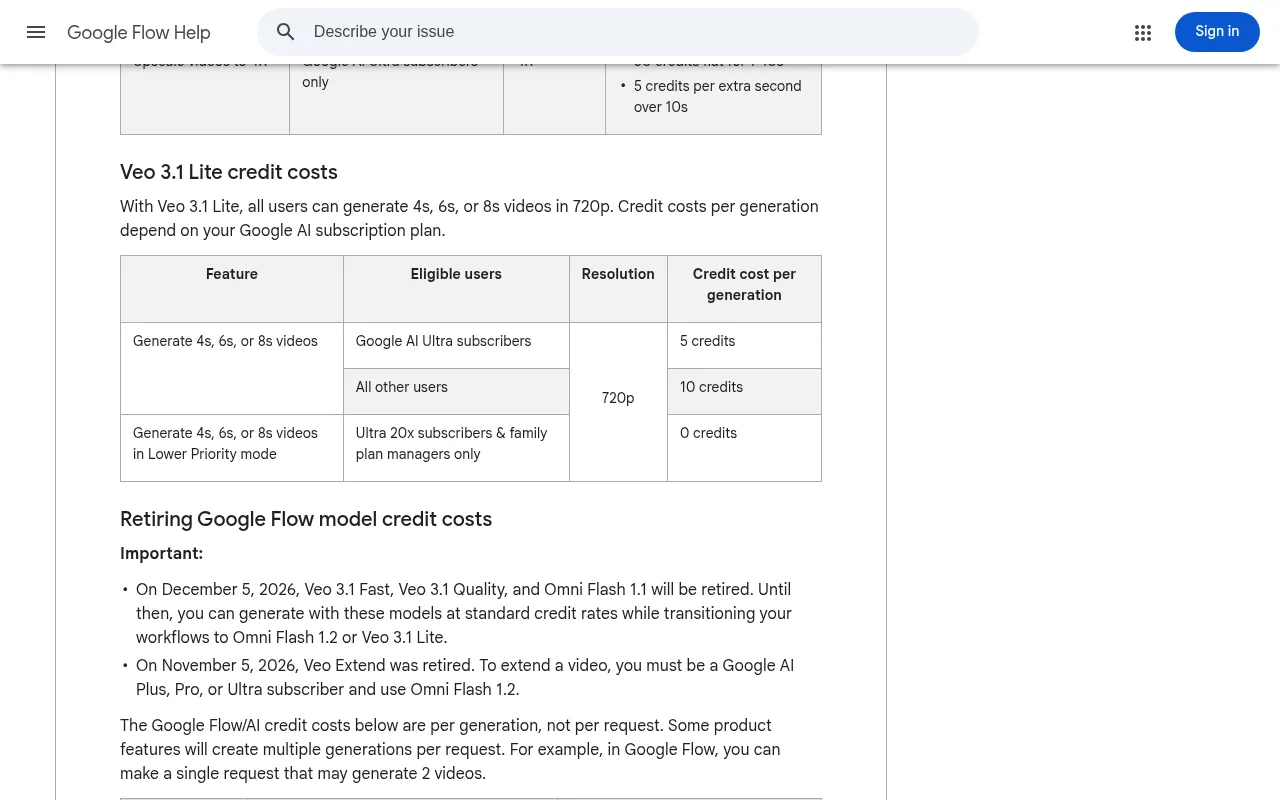
In Google Flow, Veo is paid for with credits. Flow’s credits help page lists these costs per generation:
- Veo 3.1 Quality: 100 credits per 8-second video (retires 5 December 2026)
- Veo 3.1 Fast: 20 credits, or 10 for Ultra subscribers (retires 5 December 2026)
- Veo 3.1 Lite: 10 credits, or 5 for Ultra subscribers, for 4, 6 or 8-second 720p videos
- Omni Flash 1.2: 3 credits per second at 720p for clips up to 10 seconds
Everyone gets 50 Flow credits a day. Google AI Pro adds 1,000 credits a month, the $100 Google AI Ultra tier adds 10,000 and the $200 Ultra tier adds 25,000. Plan prices vary by country, so check the current amount on Google’s Google AI plans page. If you build on the Gemini API instead, the Gemini API pricing page puts Omni 1.2 Flash at about $0.07 per second of 720p video.
Cost per usable clip, not per clip
List prices only tell half the story, because not every generation is usable. A clip counts only if it could run in a paid ad without regeneration: label readable, no warped hands, no physics errors, on brief.
Cost per usable clip = cost per generation × generations ÷ usable clips.
Take two worked examples using the list prices above. If one in three Veo 3.1 clips is usable on your brief, an 8-second clip at $3.20 becomes about $9.60 per usable clip. A 5-second 720p Seedance 2.5 clip at $1.156 with the same one-in-three hit rate becomes about $3.47. Those hit rates are placeholders for the math, not results. Your own rate depends on the product and the brief, so measure it on your first batch. For the agency comparison, see how much AI video ads cost.
Commercial rights compared
For both models, the rights come from the front end you pay for, not from the model.
- Seedance on Dreamina: the Dreamina terms of service say the services “are generally provided for private, non-commercial use,” while also saying you own your inputs and outputs if you follow the terms. Dreamina’s pricing FAQ adds that a paid subscription “does not by itself clear third-party rights.” Read our full breakdown in is Seedance safe for commercial use.
- Seedance on BytePlus: enterprise API terms plus BytePlus’s acceptable use policy, with visible watermarks and C2PA Content Credentials on outputs. Not available in the US.
- Veo in Google’s consumer apps: the Google Terms of Service say “Some of our services allow you to generate original content. Google won’t claim ownership over that content.” That covers ownership, not third-party clearance for logos, likenesses or music in your prompt.
- Veo on Google Cloud: governed by your Google Cloud agreement and service terms, which are the right route for client work at scale. Every Veo video carries SynthID, Google’s invisible watermark, and Google Cloud adds C2PA Content Credentials. That doesn’t block ad use, but it does mean platforms can detect AI origin.
Whichever model you pick, keep your own product images, scripts and the terms you relied on with each project. If the ad runs on Meta, check Meta’s AI disclosure rules. This is not legal advice; for high-spend campaigns, have counsel review the current terms.
How we would choose for a product brief
Our team starts with the brief, not the model. Here is the order of questions we run through:
- How long is the take? If the ad needs one continuous shot longer than 8 seconds, start with Seedance 2.5. If it’s a set of short shots cut together, Veo 3.1 fits.
- Where is the team based? US teams can’t use BytePlus, so Seedance means Dreamina or a partner platform. Veo on Google Cloud runs in us-central1.
- How many references do we have? A rich set of packshots, motion clips and audio favours Seedance 2.5. One hero image and a clear prompt works fine on Veo 3.1.
- Do we need edits after the first pass? Seedance 2.5 and Omni Flash 1.2 both edit part of a clip. Veo 3.1 doesn’t offer the same conversational editing.
- Which terms can we document? Pick the route whose commercial terms you can save with the project file. For client work, that usually means an enterprise API or a business plan.
Before moving budget to either model, run the same five briefs on both: a skincare hero shot, a UGC-style hook with the product in hand, a garment in motion, a beverage pour and a label legibility check. Generate each three times with identical prompts, log the cost and score what ships. Fifteen runs per model will tell you more about your own cost per usable clip than any review score. For prompt structure, our Kling prompts for product videos carry over well, since both models respond to the same subject, action, camera order.
Seedance vs Veo vs Kling and other options
- Kling: publishes its plans and commercial terms more directly than either Seedance or Veo, which makes budgeting simpler. See Kling vs Seedance, our Kling review and the Kling AI pricing breakdown.
- Platforms that bundle several models: tools like Higgsfield let you switch models under one subscription, each with its own terms. Our Higgsfield review covers how that works.
- UGC ad tools: if you need AI actors more than cinematic B-roll, see Creatify vs Arcads and our AI UGC ads guide.
- The bigger picture: for how all of these fit together on cost and rights, start with our AI video ads guide.
Seedance vs Veo: our verdict
Pick Seedance 2.5 if your ad needs long single takes, heavy reference control and part-clip edits, and you can confirm the commercial terms of your access route. Seedance 2.5 Flash keeps high-volume testing cheap.
Pick Veo 3.1 if you want short, high-resolution shots with native sound, you already work in Google Cloud, and 8 seconds per clip suits your edit. Plan around Flow retiring Veo 3.1 Fast and Quality on 5 December 2026.
Consider Gemini Omni Flash 1.2 if you like Google’s ecosystem but want 15-second clips and conversational editing at a lower per-second price.
Use both if you run a high-volume creative program. Many briefs suit one model better than the other, and the five-brief test above will show you which.
FAQs
Is Veo 3.1 better than Seedance 2.5?
It depends on the brief. Veo 3.1 makes polished 4 to 8-second clips at up to 4K with native audio. Seedance 2.5 makes clips of up to 30 seconds with audio, takes far more reference inputs and supports part-clip editing. For long product takes, Seedance has the edge; for short shots inside Google’s tools, Veo fits well.
Does Seedance 2.5 have audio like Veo?
Yes. Both models generate audio together with the video. Seedance 2.5 also accepts up to 10 audio clips as references, which helps match a voice or music style.
How much does Veo 3.1 cost?
Google Cloud lists Veo 3.1 at $0.40 per second with audio at 720p or 1080p and $0.60 per second at 4K, so an 8-second clip costs $3.20 or $4.80. In Google Flow, a Veo 3.1 Quality video costs 100 credits until the model retires on 5 December 2026.
How much does Seedance 2.5 cost?
Dreamina plans run from $15 a month (Basic, 1,575 credits) to $520 a month (Ultra, 59,000 credits) in the US. On the BytePlus API, a 5-second 720p Seedance 2.5 clip is estimated at $1.156 and a 720p Flash clip at $0.76.
Is Veo 3.1 being discontinued?
Partly. The Gemini app now uses Gemini Omni instead of Veo 3.1, the Veo 3.1 preview in the Gemini API shut down on 22 October 2026, and Google Flow retires Veo 3.1 Fast and Quality on 5 December 2026. Veo 3.1 stays generally available on Google Cloud, and Veo 3.1 Lite remains in Flow.
Can I use Veo or Seedance videos in ads?
Only when the route you use allows it in writing. Google says it won’t claim ownership of content you generate, and Google Cloud terms apply to enterprise use. Dreamina’s terms describe its services as generally for private, non-commercial use. Save the terms with each project and avoid prompting for real people, characters or other brands’ logos.
Is there a Veo 4?
No. As of 25 November 2026, Google hasn’t announced a Veo 4. Veo 3.1 is the latest Veo model, and Google’s newer video work ships under the Gemini Omni name.
Get help from Kreativemedia
Want product ads made for you instead of testing Seedance and Veo yourself? Contact Kreativemedia or see our AI video ads service. Tell us about your product and channels, and we will tell you whether Seedance, Veo, another model or a real shoot fits your budget.