

Kling is Kuaishou’s AI video generator, and as of 14 November 2026 its flagship model is Kling 4.0: up to 30 seconds of video in one generation, up to 10 keyframes, up to 15 reference assets and 720p, 1080p or 4K output. Paid plans start at $6.99 for the first month and renew at $8.80 a month for 660 credits, and every paid tier is labelled for commercial use. The free Basic plan is not. Our short verdict: Kling is one of the strongest choices for controlled product motion in ads, as long as you budget for retakes and stay on a paid plan.
This review is built from Kling’s own membership page, user guide and API pricing, all checked on 14 November 2026, plus independent coverage and creator tests linked below. We haven’t published our own scored test runs of Kling 4.0 yet, so you won’t find made-up scores here. You will find the numbers you need to decide whether to pay for it.
Kling review: the verdict at a glance
| Question | Short answer (checked 14 November 2026) |
|---|---|
| Current flagship model | Kling 4.0, launched 15 October 2026; Kling 4.0 Flash opened to everyone on 4 November |
| Clip length | 3 to 30 seconds per generation (Kling 4.0); 3 to 20 seconds (4.0 Flash); 3 to 15 seconds (Kling 3.0) |
| Resolution | 720p, 1080p and 4K listed for Kling 4.0; 10-bit HDR marked “coming soon” |
| Cheapest paid plan | Standard: $6.99 first month, then $8.80 a month for 660 credits |
| Commercial use | Yes on Standard, Pro, Premier and Ultra+; not listed on free Basic |
| Best for | Product hero shots, keyframed camera moves and reference-driven ads that must keep a pack or face consistent |
| Skip if | You need free output for paid ads, or you can’t afford several retakes per usable clip |
What’s new in Kling 4.0?
Kuaishou announced in its official release that Kling 4.0 went live on 15 October 2026, focused on three things: steadier large-scale motion, native generation of up to 30 seconds in a single pass, and Omni Reference with up to 15 reference assets and up to 10 keyframe inputs. Kling 4.0 also works through Kling’s MCP and CLI tools, so AI agents can call it.
Tom’s Guide frames the release as Kling chasing professional filmmaking, and notes that on-screen text and logos stay more stable. For ad work, that detail matters more than any cinematic demo. A warped label is the fastest way to waste a generation.
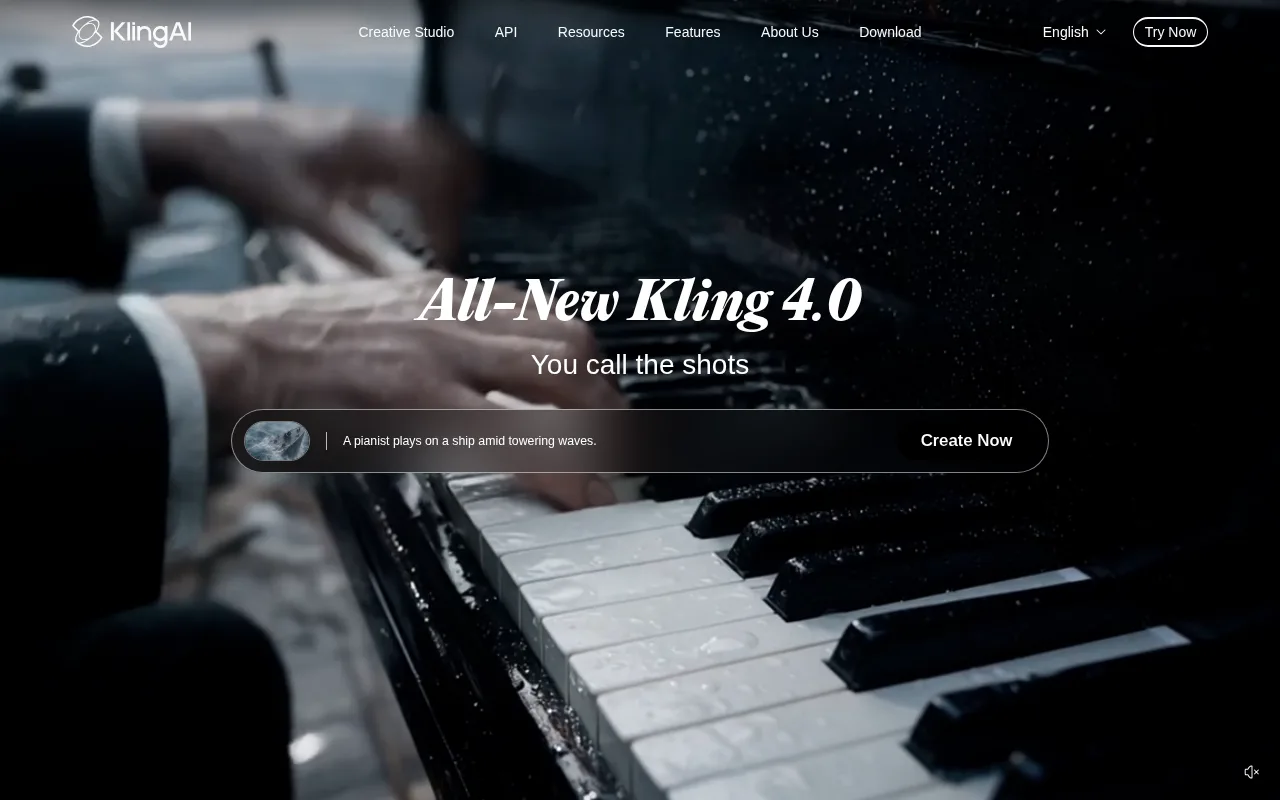
Kling’s Kling 4.0 user guide (dated 4 November 2026) lists the specs that matter for ad teams:
- Duration: 3 to 30 seconds, adjustable in 1-second steps, default 10 seconds. Multi-shot is on by default, so the model can split a 30-second generation into several shots.
- Resolution: 720p, 1080p and 4K, with 10-bit HDR output marked “coming soon”.
- Aspect ratios: 21:9, 16:9, 1:1, 9:16 and Auto. Kling’s API changelog added 4:3 and 3:4 for Kling 4.0 on 14 November 2026.
- References: up to 15 per task, made up of up to 10 images, 5 videos (30 seconds in total), 7 elements and 3 video elements, plus up to 3 voice profiles.
- Keyframes: up to 10, so you can pin where the product sits at several moments in the clip.
- Audio: two-channel stereo, with improved lip sync.
- Video editing: targeted changes to expressions, movement, camera position, style or background while the rest of the scene stays put.
Kling 4.0 Flash is the cheaper, faster sibling. The same guide lists 3 to 20 second clips at 720p. It’s meant for drafts and high-volume iteration, and that’s how we’d use it: find the angle on Flash, then render the keeper on full Kling 4.0.
Kling 3.0 vs Kling 4.0: which model should you use?
Kling 3.0 hasn’t gone away. It’s still on the membership page as “Kling 3.0 & 3.0 Omni”, with synchronized audio, storyboarding and element references. Kling’s Kling 3.0 credit guide lists clips of 3 to 15 seconds and native 4K output for the Kling VIDEO 3.0 series at 30 credits per second.
| Model | Clip length | Resolution | Use it for |
|---|---|---|---|
| Kling 4.0 | 3 to 30 s | 720p, 1080p, 4K | Long takes, keyframed product moves, edits of existing footage |
| Kling 4.0 Flash | 3 to 20 s | 720p | Fast drafts and testing many hooks cheaply |
| Kling 3.0 / 3.0 Omni | 3 to 15 s | Up to native 4K | Short clips with native audio and dialogue; 4K hero shots |
For most paid social, 10 to 15 seconds is plenty. Kling 4.0’s 30-second ceiling helps most with explainer-style ads and continuous product demos where a cut would break the flow.
How much does Kling cost?
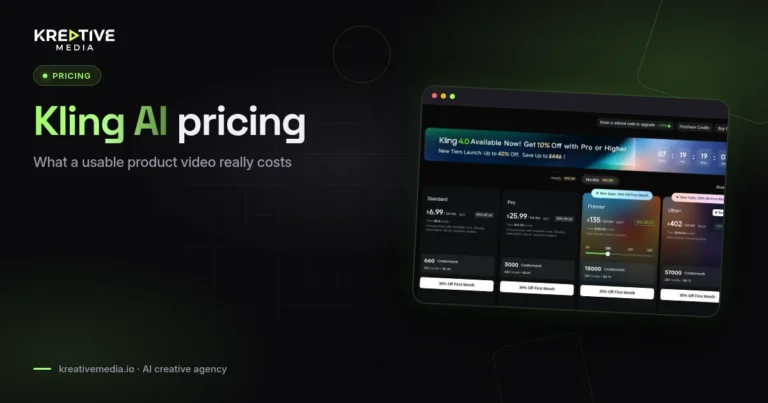
Here is what Kling’s membership page showed on 14 November 2026 with monthly billing selected:
| Plan | First month | Then per month | Credits per month | Price per 100 credits | Commercial use |
|---|---|---|---|---|---|
| Basic | $0 | $0 | No monthly credits | n/a | Not listed |
| Standard | $6.99 (list $10) | $8.80 | 660 | $1.06 | Yes |
| Pro | $25.99 (list $37) | $32.56 | 3,000 | $0.87 | Yes |
| Premier (18K tier) | $144.99 (list $207) | $181.99 | 18,000 | $0.81 | Yes |
| Ultra+ | $432.99 (list $619) | $544.99 | 57,000 | $0.76 | Yes |

A few details are easy to miss:
- The first-month price is a one-time offer for new subscribers. Budget on the renewal price.
- Premier has a credit slider with 8K, 18K, 28K and 38K options. The prices above are for the default 18K tier.
- A yearly toggle shows a bigger discount. Check it on the day you buy, since promotions change often.
- Paid plans list 1080p/4K video generation, watermark removal, unlimited queued tasks and up to 4 videos per generation. Basic allows 1.
- Kling’s July 2026 credit guide still shows older Premier and Ultra tiers. The live membership page is the one to trust.
To turn credits into money, use the renewal price. On Standard, $8.80 for 660 credits works out to about 1.3 cents a credit. A 5-second Kling 3.0 clip in native 4K at 30 credits per second uses 150 credits, about $2.00 of a Standard plan and nearly a quarter of the month’s allowance. That’s one attempt. If the label warps and you need three more, the real cost of that shot is about $8.
Kling API pricing for developers
If you generate through code or an agent, Kling’s API pricing table bills per second of video:
- Kling 4.0, no input video: $0.157 per second at 720p, $0.235 per second at 1080p. No 4K API price is listed yet.
- Kling 4.0 with an input video (reference or edit): $0.094 per second at 720p, $0.141 at 1080p, but the billed duration is at least double the output, because input seconds count too.
- Kling 4.0 Flash: $0.094 per second at 720p.
- Kling 3.0 with native audio: $0.126 per second at 720p, $0.168 at 1080p, $0.42 at 4K.
So a 10-second Kling 4.0 clip at 1080p costs $2.35 through the API, and a 15-second Flash draft costs about $1.41. For a full cost model with retakes, read our Kling AI pricing and cost per video guide.
Can you use Kling videos in paid ads?
Yes, on a paid plan. Kling’s membership page lists “Generated content is for commercial use” under Standard, Pro, Premier and Ultra+, and shows no commercial-use benefit for the free Basic plan. The older credit guide is blunter: Basic’s “generated content is not for commercial use”.
Three practical rules follow:
- Never run free-plan output in an ad account. Generate the final version on a paid plan.
- If you reach Kling through a reseller such as Higgsfield, you’re also bound by that platform’s terms. Our Higgsfield review covers how that works.
- Commercial rights to the output don’t cover what you feed in. If your references include a real person, a celebrity likeness or another brand’s footage, you need rights to those. Kling 4.0’s “creative recreation” feature makes it easy to copy the pacing of an existing video, so be careful which videos you reference.
Platforms add their own rules on top. Meta, for example, labels some AI-generated content; see our guide to Meta AI disclosure for UGC ads before you launch.
Where Kling is strong for ads
- Controlled product motion. Keyframes let you decide where the bottle, shoe or phone sits at each beat. That’s the difference between a usable packshot and a lucky one.
- Consistency across shots. With up to 10 reference images and 7 elements per task, you can hold a product’s look and a presenter’s face across a multi-shot sequence.
- Editing instead of re-rolling. Kling 4.0’s video editing changes one element of a clip while keeping the rest stable, which saves credits on near-misses.
- Real commercial use. Kling’s homepage highlights a Purga Films ad made entirely with Kling AI that won Bronze in the Classic Film category at Cannes Lions 2026, and a Longchamp spot made with the studio Obsidian. Those are Kling’s own showcase claims, but they show the kind of work the model is aimed at.
Where Kling falls short
- Cost climbs fast at the top end. 4K, long clips and video inputs all multiply credit use. Most of your bill goes on retakes, not on the clips you keep.
- Some headline features are still pending. 10-bit HDR is “coming soon”, and the API doesn’t price Kling 4.0 at 4K yet.
- Flash is 720p only. Treat Kling 4.0 Flash as a drafting tool, not a delivery format.
- Pricing pages disagree. The July credit guide and the live membership page list different upper tiers. Always check the live page.
- Company context. Kling now sits in a separate Kuaishou subsidiary. CNBC reported in July that Tencent joined a raise of about $2.8 billion for it, and TechNode reported on 2 November that the financing closed at about $2.9 billion. That’s a well-funded vendor, but enterprise buyers in some markets will still want a data and vendor review before rollout.
How to make a product video with Kling 4.0
- Prepare a clean reference. A sharp, front-on product photo on a plain background beats a busy lifestyle shot. Add a second angle if the back of the pack matters.
- Pick the entry point. Kling 4.0 has two: Omni Reference (the default, which also covers text-to-video) and Keyframes, which keeps the familiar first-frame and first-and-last-frame image-to-video flow when you need pixel-level control of the start and end.
- Draft on Flash. Run your hook ideas at 720p on Kling 4.0 Flash to find the camera move and pacing.
- Set duration and ratio. 9:16 for Reels and TikTok, 1:1 for feeds, 16:9 for YouTube. Keep the duration to what the hook needs; 10 seconds is the default for a reason.
- Pin the product with keyframes. Fix its position at the start, the reveal and the end so the model doesn’t drift over a long take.
- Render the keeper on a paid plan. Generate the final at 1080p or 4K and download it for editing.
- Fix, don’t restart. Use video editing to correct a hand, background or camera angle instead of generating from scratch.
Want prompt templates for this? Our AI video ads guide covers prompts, cost per usable clip and which generator suits which ad format.
Kling vs the alternatives
Kling’s closest rival for ad work is ByteDance’s Seedance. The short version: Kling is easier to recommend on rights because paid plans state commercial use plainly, while Seedance’s rights depend on where you access it. Our Kling vs Seedance comparison and Seedance commercial use guide cover the details.
If you’d rather not run a generator yourself, avatar-led UGC tools are a different category. See AI UGC ads and our breakdown of how much AI video ads cost, including the agency route. For apparel brands, our AI fashion model generator roundup is the better starting point.
How we put this review together
We checked every price, plan name, credit count and model spec in this article against Kling’s own pages on 14 November 2026: the membership page, the Kling 4.0 user guide, the API pricing table and API changelog. News and funding details link to the original reporting. Screenshots were captured the same day. We don’t publish scores we haven’t measured; you can read more in our editorial policy and how we research pages.
FAQs
Is Kling worth paying for in 2026?
For product ads, yes, if you’ll use it every month. Standard renews at $8.80 for 660 credits, enough to learn the tool. Teams producing ads weekly will hit that ceiling fast and should look at Pro ($32.56 for 3,000 credits).
What is the latest Kling model?
Kling 4.0, launched on 15 October 2026. Kling 4.0 Flash, a faster 720p version, opened to all users on 4 November 2026.
How long can Kling 4.0 videos be?
3 to 30 seconds per generation, in 1-second steps. Kling 4.0 Flash goes up to 20 seconds and Kling 3.0 up to 15 seconds.
Does Kling do 4K?
Yes. Kling 4.0 lists 4K output, and Kling 3.0 offers native 4K at 30 credits per second on the web app. 10-bit HDR for Kling 4.0 is still marked as coming soon.
Is Kling free?
There is a free Basic plan, but it has no monthly credits and its output isn’t labelled for commercial use. Don’t use free-plan clips in ads.
Can I use Kling videos commercially?
On a paid plan, yes. Standard, Pro, Premier and Ultra+ all list “Generated content is for commercial use” on Kling’s membership page. You still need rights to any people, footage or brands you use as references.
How much does a Kling video cost?
Through the API, a 10-second Kling 4.0 clip at 1080p costs $2.35. On a Standard plan, a 5-second Kling 3.0 clip in 4K uses 150 credits, about $2.00. Every retake adds the same amount again, so track cost per usable clip, not cost per generation.
Is Kling better than Seedance for ads?
Kling is the simpler choice when rights matter, because paid plans state commercial use. Seedance can suit long, multi-reference scenes. Test both on your own product before committing.
Get help from Kreativemedia
Want product video ads without learning another tool? Contact Kreativemedia and tell us about your product and channels. We’ll tell you whether Kling, another generator or a different approach fits your budget.

Jitendra Vaswani is an SEO expert, AI and marketing professional, and the founder behind Kreativemedia. He started BloggersIdeas in 2013, runs AffiliateBooster and SchemaNinja, and through DigiExe has worked with 1,400+ clients across 28 countries. He is the international bestselling author of Inside A Hustler’s Brain (20,000+ copies) and has spoken at Affiliate Summit, Affiliate World, DMSS and TES. Find him at jitendra.co.